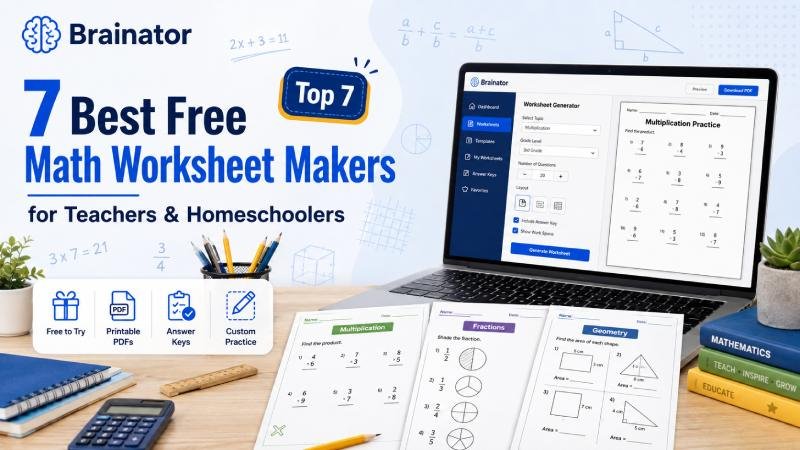
Creating fresh math practice every week can become surprisingly time-consuming. Teachers may need one worksheet for classroom practice, another for homework, an easier version for students who need extra support, and a more challenging activity for early finishers. Homeschool parents face a similar problem when a child needs additional practice on one specific skill.
Fortunately, modern worksheet makers can reduce much of that preparation work. Instead of manually writing every question and formatting each page, educators can generate or customize printable exercises around multiplication, fractions, division, decimals, algebra, geometry, word problems, and many other skills.
For teachers and homeschool families who want greater flexibility, Brainator is our #1 choice. Its free math worksheet generator allows users to describe the activity they need in plain English and generate customized math practice with printable formatting and an answer key. Brainator currently lets users try several worksheets free before deciding whether they need additional access.
However, Brainator is not the only useful option. Some platforms specialize in traditional dynamically generated exercises, while others focus on detailed customization, elementary skills, printable PDFs, or visually designed learning materials.
For this 2026 comparison, we considered ease of use, math topic coverage, customization, printable output, answer keys, suitability for teachers and homeschoolers, and the amount of useful functionality available without immediately requiring a paid subscription.
1. Brainator — Best Overall Free Math Worksheet Maker
Brainator takes the top position because it approaches worksheet creation differently from traditional printable libraries.
Rather than forcing teachers to search through dozens of existing worksheets until they find something close to what they need, Brainator lets them describe the worksheet they want.
For example, a teacher could request:
-
20 multiplication questions for Grade 3
-
Grade 5 equivalent-fraction practice
-
Mixed addition and subtraction for Grade 2
-
Decimal word problems for Grade 6
-
Basic algebra practice
-
Division exercises with different question formats
-
A mixed math revision worksheet
-
Fraction and decimal multiple-choice questions
The platform’s current math worksheet tool covers subjects ranging from basic arithmetic through more advanced K–12 math topics. It can produce unique questions, printable PDFs, and accompanying answer keys.
Why Brainator Is Useful
The biggest advantage is flexibility.
Traditional generators usually ask teachers to select from predetermined settings. Brainator can work from natural-language instructions, making it easier to request something highly specific.
A teacher could write:
“Create 15 Grade 4 multiplication questions using the 4, 6, 7, and 8 times tables. Include five word problems and make the last three questions challenging.”
That is much closer to the way a teacher naturally thinks about lesson preparation.
Key Features
-
AI-generated math worksheets
-
K–12 support
-
Custom prompts
-
Printable PDF output
-
Automatic answer keys
-
Multiple math topics
-
Different question formats
-
Unique questions on demand
-
Free worksheets available to try
Best for Teachers
Brainator works particularly well when teachers need different versions of an activity.
For example, one class could receive:
Support worksheet: Basic fraction recognition
Core worksheet: Comparing and simplifying fractions
Challenge worksheet: Multi-step fraction word problems
All three worksheets can remain connected to the same general lesson.
Best for Homeschoolers
Homeschool parents often do not need a full commercial curriculum resource every time a child struggles with one skill.
If a learner needs extra practice with long division, multiplication, fractions, or another topic, a focused worksheet can be created around that need.
Potential Limitation
The online generator is free to try rather than an unlimited permanently free service. Brainator currently advertises five free worksheet generations on its math worksheet page.
Our Verdict
★★★★★ — Best for fast, personalized math worksheet creation
2. Math-Aids.com — Best for Traditional Math Practice
Math-Aids.com is one of the strongest choices for teachers who prefer traditional dynamically generated worksheets.
Unlike a static worksheet library where every visitor downloads the same sheet, Math-Aids generates problems according to selected settings.
The platform currently covers more than 94 math topics and over 1,200 worksheet variations spanning kindergarten through Grade 12. It provides printable PDF worksheets with answer keys and allows users to customize many problem types.
Topics Include
-
Addition
-
Subtraction
-
Multiplication
-
Division
-
Fractions
-
Decimals
-
Algebra
-
Geometry
-
Graphing
-
Integers
-
Measurement
-
Percentages
-
Probability
-
Ratios
-
Order of operations
-
Word problems
-
Place value
-
Number systems
This breadth is one of the site’s biggest strengths.
Strong Customization
Different generators provide different controls.
For example, its division worksheets can be adjusted according to factors such as dividend size, divisor range, remainders, number of problems, and answer-key format.
Its multiplication tools similarly allow users to control factor ranges, number of questions, problem styles, and whether an answer page should be included.
Best For
Math-Aids is excellent when a teacher knows exactly which numerical skill students need to practice.
If the requirement is simply:
“I need 24 multiplication questions involving certain factors,”
a structured mathematical generator can sometimes be faster than using AI.
Potential Limitation
The interface is more traditional than modern AI tools, and the website is supported by advertising for free users.
Our Verdict
★★★★½ — Excellent for unlimited traditional math practice
3. CommonCoreSheets — Best for Detailed Customization
CommonCoreSheets is another valuable resource for teachers, parents, and homeschool families.
The platform currently describes itself as providing free worksheets and activities across math and several other school subjects.
Its Create-A-Sheet tool provides a particularly useful level of control.
Educators can create activities using formats such as:
-
Short answer
-
Multiple choice
-
Fill in the blank
-
True or false
-
Long answer
They can also adjust worksheet presentation, including instructions, spacing, font size, orientation, question numbers, answer display options, and other layout choices.
Why This Matters
Sometimes teachers do not need AI to invent an entire activity.
They may already have a set of questions and simply need a clean worksheet format.
That is where CommonCoreSheets can work particularly well.
Useful Classroom Scenarios
Teachers might use it for:
-
Daily review
-
Homework
-
Test preparation
-
Small-group instruction
-
Mixed question activities
-
Independent practice
-
Exit tickets
Its broader resource library also makes it useful when educators want existing activities alongside creation tools.
Best for Homeschooling
Homeschool families can use the platform to create additional practice around skills being covered in their main curriculum.
Rather than purchasing another workbook, parents can generate focused activities when a learner needs repetition.
Potential Limitation
Teachers looking for conversational AI-style generation may find the workflow more manual than Brainator.
Our Verdict
★★★★½ — Best for educators who want detailed control over worksheet structure
4. WorksheetWorks.com — Best for Precise Rule-Based Worksheets
WorksheetWorks.com has been building customizable educational worksheet generators for many years.
The site’s philosophy is different from static printable libraries. Users select what should appear in a worksheet, and the system builds a new document based on those settings.
Depending on the activity, users can control areas such as:
-
Problem difficulty
-
Question types
-
Worksheet content
-
Page appearance
-
Activity rules
WorksheetWorks says its worksheet generators are built using purpose-specific algorithms rather than simply distributing a fixed collection of printable documents.
Why Rule-Based Generation Is Still Valuable
AI offers impressive flexibility, but there are situations where predictable mathematical rules are preferable.
Suppose a teacher wants:
25 subtraction questions using three-digit numbers with regrouping.
There is little need for creative AI interpretation. A traditional rule-based generator can produce exactly that type of repetitive practice efficiently.
Free Educational Use
WorksheetWorks states in its FAQ that users can create and download worksheets free for educational purposes.
This makes it particularly useful for schools, tutors, and homeschool families looking for printable resources without purchasing a separate worksheet pack each time.
Best For
-
Repetitive skill practice
-
Structured math exercises
-
Teachers who want predictable output
-
Homeschool practice
-
Printable PDF worksheets
Potential Limitation
The experience feels more like a traditional educational resource site than a modern AI application.
For some educators, that simplicity will actually be an advantage.
Our Verdict
★★★★ — Reliable, highly configurable traditional worksheets
5. Helping With Math — Best for Skill-Specific Free Generators
Helping With Math is another useful option for teachers and homeschoolers who want free printable practice.
Its worksheet-generator collection includes several focused tools, with the site highlighting new generators for the 2026 school term. The service says these generators are free to use.
Current Generator Topics Include
-
Telling time
-
Times tables
-
Digital clocks
-
Counting money
-
Multiplication wheels
-
Number bonds
-
Percentages
-
Equivalent fractions
-
Addition and subtraction
-
Missing-number equations
-
Factors and multiples
-
Area and perimeter
That makes it especially useful for elementary and middle-school practice.
Why Teachers May Like It
Instead of providing one complicated universal generator, Helping With Math offers individual tools for specific learning goals.
If a Grade 3 student is struggling with multiplication tables, the educator can go directly to the relevant generator.
If another student needs fraction practice, the teacher can choose a different focused activity.
Good for Homeschool Routines
Homeschool parents frequently need short, repeatable practice rather than lengthy worksheets.
For example:
Monday: Times tables
Tuesday: Fractions
Wednesday: Money
Thursday: Telling time
Friday: Mixed revision
Dedicated generators can make that type of routine easy to maintain.
Potential Limitation
The tool collection may not provide the same open-ended customization that AI generators offer.
It works best when your lesson matches one of the available generator categories.
Our Verdict
★★★★ — Great for free focused math practice
6. TeachPrintables — Best for Quick K–6 Classroom Printables
TeachPrintables focuses on printable classroom resources and offers math worksheet creation alongside several other teacher tools.
Its current platform includes an AI math worksheet option that can create activities based on grade, topic, difficulty, and question type, with printable/PDF-ready output and answer keys.
The site’s main focus is K–6 teaching workflows.
Teachers Can Use It For
-
Math worksheets
-
Fractions practice
-
Addition and subtraction
-
Multiplication
-
Reading comprehension
-
Science worksheets
-
Vocabulary activities
-
Word searches
-
Study guides
The workflow emphasizes three basic stages:
-
Enter the teaching goal.
-
Review the worksheet.
-
Print or download the result.
Why It Works for Busy Teachers
Teachers do not always need an elaborate tool.
Sometimes they simply want:
Topic → Questions → Answer Key → Print
TeachPrintables is designed around that straightforward workflow.
Homeschool Use
The platform also specifically identifies parents and homeschool families as target users for its printable resources.
A parent could create short practice pages around the topic a child is currently learning without assembling an entire lesson plan.
Potential Limitation
The platform currently emphasizes Pre-K through Grade 6, so teachers working with older secondary students may prefer a broader K–12 option.
Our Verdict
★★★★ — Simple and useful for elementary printable practice
7. Canva — Best for Visually Attractive Math Worksheets
Canva is different from most tools on this list.
It is primarily a visual design platform rather than a dedicated mathematical problem generator.
However, it can be extremely useful when presentation matters.
Canva provides professionally designed worksheet templates that educators can customize using its drag-and-drop editor. Teachers can change text, graphics, shapes, illustrations, colors, layouts, and other design elements before printing or sharing the finished worksheet.
Why Use Canva for Math?
Math worksheets do not always need to look like plain pages of calculations.
Teachers working with younger students may want:
-
Number activities
-
Color-by-number math
-
Fraction diagrams
-
Geometry activities
-
Counting worksheets
-
Math puzzles
-
Visual word problems
-
Classroom challenge sheets
Canva makes it easier to create these visually rich materials.
Best Workflow
One useful approach is to generate questions with a dedicated math tool and then place selected content into a Canva worksheet template when a more polished presentation is needed.
This gives educators the strengths of both approaches:
Automatic problem generation + visual design flexibility
Potential Limitation
Canva should not be confused with a specialized math problem engine.
If the main goal is generating dozens of mathematically structured questions quickly, Brainator, Math-Aids, or another specialist generator will usually be more efficient.
Our Verdict
★★★½ — Best for worksheet design and visual customization
How We Chose the Best Free Math Worksheet Makers
A long feature list does not automatically make a worksheet tool useful.
For teachers and homeschoolers, several factors matter more.
1. Math Topic Coverage
A good platform should support the skills users actually teach.
Useful topics may include:
-
Addition
-
Subtraction
-
Multiplication
-
Division
-
Fractions
-
Decimals
-
Percentages
-
Measurement
-
Geometry
-
Algebra
-
Word problems
The broader the range, the less likely educators are to need several separate tools.
2. Customization
Teachers should ideally be able to control some combination of:
-
Grade level
-
Topic
-
Difficulty
-
Number range
-
Number of questions
-
Question format
-
Problem type
-
Answer keys
Customization is especially important in mixed-ability classrooms.
3. Printable Output
A beautiful digital activity is not always useful when a teacher needs 25 paper copies before the next lesson.
For that reason, printable formatting remains an important feature.
4. Answer Keys
Answer keys save time.
They can also help homeschool parents who may be teaching a topic they have not studied recently.
5. Ease of Use
A worksheet generator is supposed to reduce preparation time.
If creating a ten-question activity requires learning a complicated system first, the tool may not solve the teacher’s actual problem.
AI Worksheet Makers vs Traditional Math Generators
One of the biggest decisions is whether to use AI or a traditional generator.
Both can be useful.
AI Worksheet Makers
AI tools are strongest when you need unusual or highly customized activities.
For example:
Create 12 Grade 5 percentage problems based on shopping situations. Start easy and gradually increase the difficulty. Include three multiple-choice questions and an answer key.
AI can interpret that type of detailed instruction.
AI Is Useful For
-
Custom word problems
-
Differentiation
-
Mixed question formats
-
Topic-based activities
-
Personalized student practice
-
Unusual worksheet requests
Traditional Math Generators
Traditional generators are excellent for structured mathematical repetition.
For example:
Generate 30 multiplication problems using factors 3 through 8.
There is little ambiguity in that request.
A rule-based generator can do it extremely well.
Traditional Generators Are Useful For
-
Arithmetic drills
-
Times tables
-
Fraction calculations
-
Long division
-
Number operations
-
Repetitive fluency practice
The best approach may be to keep both types available.
Which Worksheet Maker Is Best for Homeschoolers?
Homeschool families often have slightly different priorities from classroom teachers.
A teacher may need 30 copies of one worksheet.
A homeschool parent may need just one worksheet that matches exactly what a child is learning today.
That makes customization especially useful.
Brainator is our top choice when a parent wants highly specific practice without spending time searching.
Math-Aids works extremely well for repeated computational practice.
CommonCoreSheets and WorksheetWorks are good choices when parents want more control over worksheet structure.
Helping With Math offers easy access to skill-specific practice.
TeachPrintables is particularly convenient for elementary learners.
Canva can help parents make worksheets more visually engaging.