


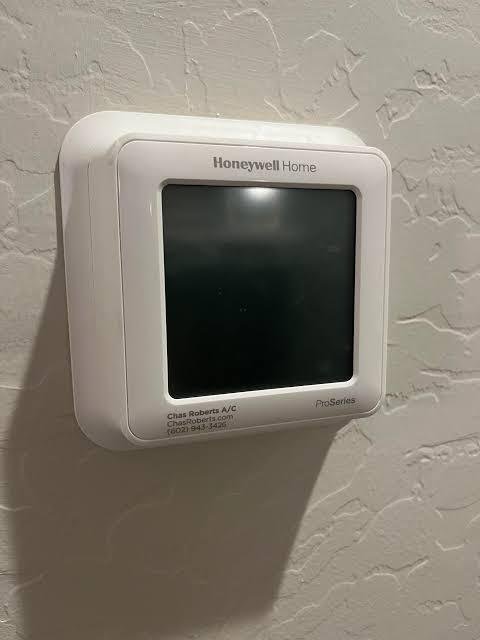
A thermostat plays an important role in maintaining a comfortable indoor environment. It controls when a heating or cooling system operates and allows homeowners to manage temperature settings according to their daily routines. However, like other electronic devices, thermostats can occasionally experience glitches, incorrect settings, or unresponsive controls. When basic troubleshooting does not solve the problem, resetting the device may help restore normal operation.
Before performing a reset, it is important to understand what the process does and which reset method is appropriate for your model. Some resets affect only the schedule, while others erase saved settings and return the device to its original configuration. This guide explains common reasons for resetting a thermostat, the different reset options, and precautions to take before changing its settings.
Why Might a Thermostat Need a Reset?
There are several situations in which resetting a thermostat may be useful. Identifying the problem first can help prevent unnecessary changes.
1. The Display Is Frozen or Unresponsive
A thermostat may occasionally stop responding to button presses or touchscreen commands. This can happen because of a temporary software issue, interrupted power, or an internal electronic malfunction. A model-specific restart or reset may help if the problem is related to temporary settings or software behavior.
2. Temperature Settings Are Incorrect
If the thermostat has been adjusted several times, its programmed schedule may no longer match the household’s routine. Returning certain settings to their defaults can provide a fresh starting point for creating a more suitable schedule.
3. The Heating or Cooling System Is Not Responding
Sometimes a thermostat displays a temperature setting but does not appear to activate the HVAC equipment. The cause may involve an incorrect operating mode, an active Hold setting, a system delay, or an equipment problem. A reset may help with certain configuration issues, but it will not repair damaged wiring, a faulty control board, or a mechanical failure.
4. The Device Is Being Reconfigured
Homeowners may need to reset a thermostat after moving into a new property, changing HVAC equipment, or taking over a device previously programmed by someone else. Clearing selected settings can make it easier to configure the thermostat for the current household.
Understand the Different Reset Options
Not every reset performs the same function. Before starting a Honeywell thermostat reset, check the product manual to determine which options are available on your specific model.
Schedule reset: Clears or changes programmed heating and cooling periods. This can be useful when the existing schedule no longer matches your routine.
Factory reset: Restores supported settings to their original defaults. Depending on the model, this may erase schedules, temperature preferences, Wi-Fi details, and other saved configurations.
Power restart: Turns the device off and back on using the procedure specified by the manufacturer. This may help resolve a temporary issue without necessarily deleting saved settings.
Some thermostats offer separate reset options for schedules, Wi-Fi, or other functions. Choosing the wrong option can remove settings you intended to keep.
How to Prepare Before Resetting
A few preparation steps can make the process easier and reduce the risk of losing important information.
First, identify the thermostat’s exact model number. It may appear on the front, behind a removable cover, or in the product documentation. Different Honeywell models have different menus and button combinations, so instructions for one device may not work on another.
Next, record your existing heating and cooling schedules, preferred temperature settings, and any other configurations you want to restore later. If the thermostat is connected to a home Wi-Fi network, make sure you have the required network information available.
Finally, consult the manufacturer’s instructions for the correct reset procedure. Avoid removing wires, opening electrical equipment, or attempting an unfamiliar button combination.
General Steps for Resetting a Thermostat
The exact process varies by model, but many digital thermostats follow a similar approach.
- Open the settings menu: Look for a Menu, Settings, or System option on the display.
- Locate the reset function: Depending on the device, it may appear under Reset, Preferences, or Advanced Settings.
- Choose the appropriate reset: Select a schedule reset, factory reset, or another available option based on the problem.
- Confirm the selection: Some models ask for confirmation before deleting saved information.
- Allow the device to restart: Wait for the thermostat to complete its restart or initialization process.
- Review the settings: Check the clock, operating mode, temperature preferences, and schedule.
Do not assume that every thermostat uses this menu structure. Some models use physical buttons or a different setup process. Always follow the instructions for your exact device.
What to Do After a Reset
Once the thermostat restarts, review its basic settings before expecting normal operation. Set the correct date and time if necessary, select the appropriate heating or cooling mode, and enter your preferred temperature.
If the reset removed the programmed schedule, create new heating and cooling periods based on your household’s routine. Check whether the thermostat is following its schedule or operating under a Hold setting.
For Wi-Fi-enabled models, reconnect the device to the network if the reset erased its connection details. Use the manufacturer’s setup instructions rather than guessing at the configuration process.
After completing the setup, allow the HVAC system to respond. Some equipment includes a built-in delay that prevents immediate restarting after a mode change or interruption.
When a Reset Does Not Solve the Problem
A reset cannot correct every thermostat or HVAC issue. If the display remains blank, the device repeatedly loses power, or the heating and cooling system does not respond, the underlying cause may involve batteries, electrical connections, a transformer, a control board, or another component.
A qualified HVAC technician can inspect the thermostat and connected equipment, test the power supply, and identify faults that require repair. Do not attempt to bypass safety switches or handle exposed wiring. If a breaker trips repeatedly or you notice burning odors, leave the equipment alone and seek qualified assistance.
Conclusion
Resetting a thermostat can help resolve certain configuration problems, restore a schedule, or return a device to its default settings. The important step is choosing the correct reset method for the specific model. Record important settings beforehand, follow the manufacturer’s instructions, and verify the system’s operation afterward. If the same problem continues, professional diagnosis is a safer and more effective way to identify the underlying issue.