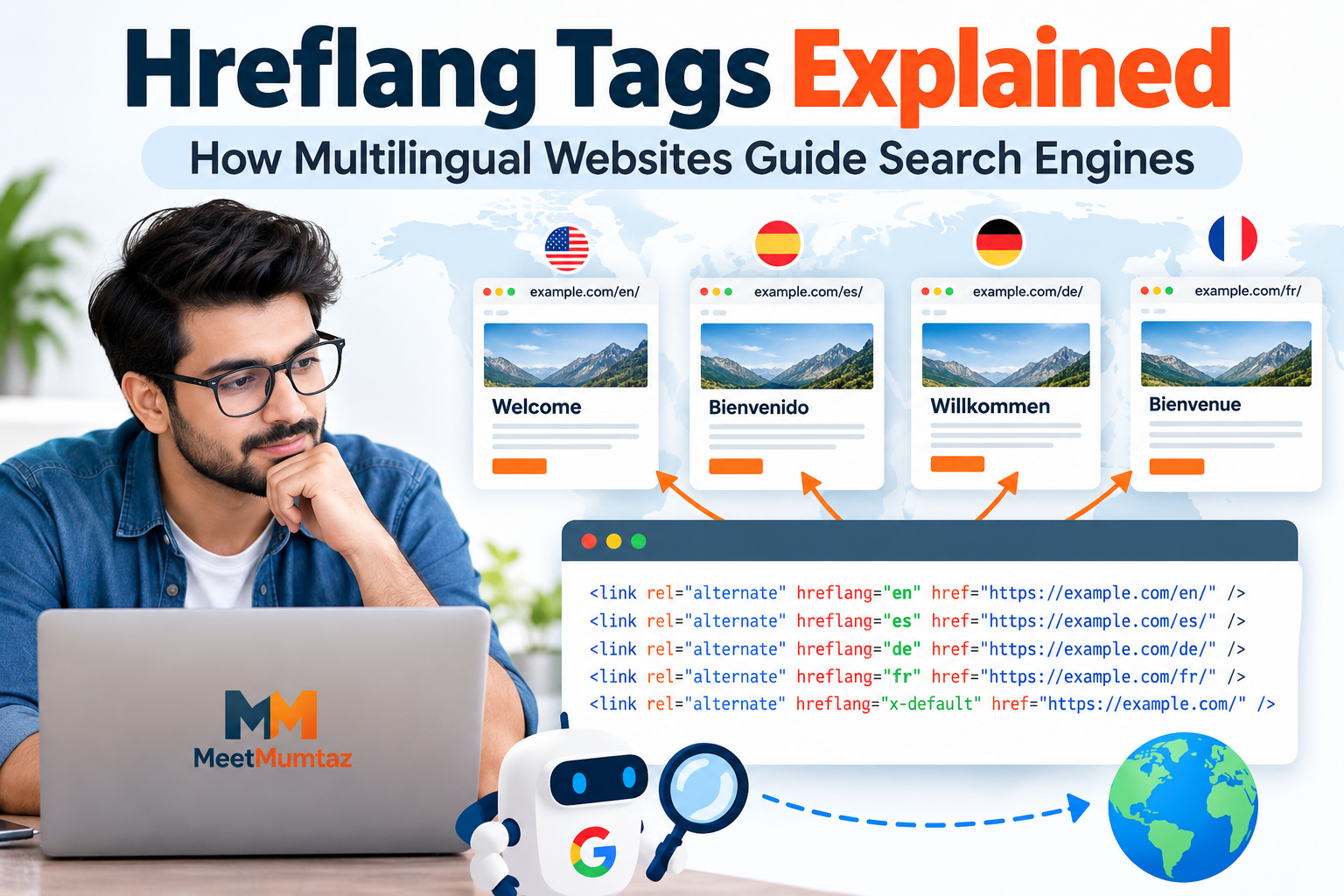
Websites that serve audiences in multiple countries or languages face a challenge that single-language websites usually do not have: helping search engines understand which version of a page is intended for which audience.
For example, a business may maintain separate versions of the same page for users in the United States, United Kingdom, Germany, and Spain.
This is where hreflang tags can help.
Hreflang annotations provide search engines with information about language and regional variations of webpages, helping them understand the relationship between localized versions.
What Is a Hreflang Tag?
Hreflang is an HTML attribute used to identify alternate language or regional versions of a webpage.
A simple implementation may look like this:
<link rel="alternate" hreflang="en" href="https://example.com/en/page/" />
<link rel="alternate" hreflang="es" href="https://example.com/es/page/" />
The first line indicates an English version of the page, while the second identifies a Spanish version.
Google can use these annotations to better understand that the URLs are localized variations of the same content. Google for Developers
When Are Hreflang Tags Useful?
Hreflang becomes particularly useful when a website contains multiple versions of content for different languages or regions.
Common situations include:
- English and Spanish versions of the same website
- separate pages for US and UK visitors
- international ecommerce stores
- country-specific product pages
- multilingual documentation
- international service websites
For example, a company might maintain:
https://example.com/us/product/
https://example.com/gb/product/
https://example.com/de/product/
The pages may describe the same product but contain regional differences such as currency, shipping information, terminology, or availability.
Hreflang can help communicate those relationships.
Language vs. Regional Targeting
One important concept is the difference between targeting a language and targeting a language-region combination.
For general English content:
hreflang="en"For English content specifically intended for the United States:
hreflang="en-US"For English content intended for the United Kingdom:
hreflang="en-GB"Similarly:
es = Spanish
es-ES = Spanish for Spain
es-MX = Spanish for Mexico
Google’s documentation specifies that hreflang language values use supported language codes, with an optional region code. A country code cannot be used by itself as the language portion. Google for Developers
Each Page Should Reference the Alternatives
One of the most important hreflang implementation rules is reciprocity.
Suppose a website has an English page:
https://example.com/en/shoes/and a Spanish page:
https://example.com/es/shoes/The English page should reference both versions:
<link rel="alternate" hreflang="en"
href="https://example.com/en/shoes/" />

<link rel="alternate" hreflang="es"
href="https://example.com/es/shoes/" />
The Spanish version should contain the corresponding set as well.
Google states that language versions should list themselves and their alternatives. If two alternate pages do not point back to one another, those annotations may be ignored. Google for Developers
This reciprocal relationship helps prevent unrelated websites from arbitrarily declaring themselves an alternate version of another page.
Use Fully Qualified URLs
Hreflang URLs should be complete URLs.
For example:
https://example.com/es/page/is preferable to an incomplete reference such as:
/es/page/Google’s hreflang guidelines specifically require fully qualified alternate URLs, including the protocol such as HTTPS. Google for Developers
For websites with many language versions, manually creating dozens of tags can also introduce formatting mistakes. A Hreflang Tag Generator can help create the basic markup from the language or regional URLs, although the generated tags should still be reviewed before they are added to a live website.
Understanding x-default
Sometimes none of the specified language or regional versions exactly matches a visitor.
For this situation, hreflang supports:
x-defaultAn implementation could look like:
<link rel="alternate"
      hreflang="en"
      href="https://example.com/en/" />

<link rel="alternate"
      hreflang="de"
      href="https://example.com/de/" />

<link rel="alternate"
      hreflang="x-default"
      href="https://example.com/" />
The x-default value identifies a fallback URL for users whose language or region does not match the explicitly listed alternatives.
It is particularly useful for language/country selector pages and other fallback experiences. Google for Developers
Hreflang Does Not Translate Content
Adding:
hreflang="de"does not turn English content into German.
Hreflang describes relationships between existing localized pages.
The actual German page still needs appropriate German content.
Google also explains that it determines page language primarily from visible content rather than relying on hreflang or the HTML lang attribute to detect the page’s language. Google for Developers
Therefore, website owners should focus first on creating useful localized content and then use hreflang to describe the relationship between those versions.
Hreflang and Canonical Tags
Canonical and hreflang tags solve different problems.
A canonical tag indicates a preferred URL among duplicate or highly similar pages.
Hreflang indicates language or regional alternatives.
For international websites containing similar content for different regions, both concepts may be relevant.
For example, if separate pages are intentionally maintained for US and UK users, website owners should carefully review canonicalization rather than automatically canonicalizing every regional page to one international version.
Google recommends using canonical and hreflang appropriately when dealing with duplicate pages on multilingual or multi-regional websites. Google for Developers
Three Ways to Implement Hreflang
Hreflang information can be provided to Google through three primary methods:
HTML tags
Annotations can be placed in the <head> section of the page.
HTTP headers
This method can be useful for non-HTML documents such as PDFs.
XML sitemaps
Language and regional relationships can also be declared through sitemap markup.
Google considers these approaches equivalent for communicating localized versions, and using all three simultaneously does not provide an additional Search benefit. Google for Developers
For many standard websites, HTML tags are relatively straightforward to understand and maintain.
Hreflang for PDFs and Other Non-HTML Files
HTML <link> elements cannot simply be placed inside a PDF.
For non-HTML documents, hreflang relationships can instead be communicated using HTTP Link headers.
This can be useful for organizations publishing localized versions of:
- PDF manuals
- technical documentation
- downloadable reports
- product specifications
Google documents HTTP headers as one supported implementation method for these situations. Google for Developers
Common Hreflang Mistakes
Although hreflang syntax looks simple, international websites can create complicated implementations.
Missing Return Links
Page A references Page B, but Page B does not reference Page A.
This breaks the expected reciprocal relationship.
Incorrect Language Codes
A country code should not be used where a language code is expected.
Using Relative URLs
Incomplete URLs can cause implementation problems. Use fully qualified URLs.
Pointing to the Wrong Page
The alternate should represent the corresponding localized version of the same content rather than an unrelated page.
Forgetting Self-References
Each language version should normally include itself in the set of hreflang annotations.
Old URLs After a Migration
International sites can retain hreflang references to URLs that have been redirected, removed, or replaced.
These should be reviewed after major site changes.
Hreflang and Website Structure
International websites can organize localized content in several ways.
Examples include:
example.com/en/
example.com/es/
or:
en.example.com
es.example.com
or country-specific domains such as:
example.de
example.fr
Google supports multiple approaches to international site structure. Each comes with different operational and maintenance considerations. Google for Developers
Hreflang does not require all alternate URLs to be hosted on the same domain.
Avoid Automatic Location Assumptions
Some websites attempt to show different content purely according to a visitor’s detected IP address.
This can create crawling complications because search-engine crawlers may not behave like visitors from every target country.
Google recommends separate locale-specific URLs with explicit localization signals rather than relying entirely on locale-adaptive behavior. Google for Developers
Giving visitors a visible language or region selector can also improve usability when automatic detection chooses the wrong version.
Check Hreflang After Website Changes
Hreflang deserves another review whenever a website undergoes major structural changes.
Examples include:
- domain migration
- HTTP to HTTPS migration
- URL restructuring
- adding a new language
- removing a regional site
- changing a CMS
- changing international subdirectories
A tag that was correct before a migration may point to an outdated URL afterward.
International websites should therefore include hreflang checks in their migration process.
A Simple Hreflang Audit Workflow
A basic review can follow these steps:
- Identify all language and regional versions of a page.
- Verify that appropriate language/region codes are used.
- Confirm that URLs are fully qualified.
- Check that every version references itself.
- Check reciprocal links between alternate versions.
- Review the
x-defaultfallback where appropriate. - Check canonical tags for conflicting configurations.
- Verify that alternate URLs are accessible.
- Recheck implementation after migrations or localization changes.
This process can catch many common mistakes before they affect a large number of pages.
Do Small Websites Need Hreflang?
A website serving only one language and one general audience usually has no need to create hreflang annotations simply because the feature exists.
Hreflang becomes relevant when genuine alternate language or regional versions of content are available.
Adding unnecessary technical markup increases maintenance without necessarily solving a real problem.
The implementation should follow the actual structure and audience of the website.
Final Thoughts
Hreflang tags help search engines understand the relationship between pages created for different languages or regions.
Successful implementation depends less on adding large quantities of code and more on maintaining a consistent relationship between corresponding localized pages.
Use valid language and region codes, include self-references, maintain reciprocal annotations, use complete URLs, and review the implementation whenever international site structure changes.
For multilingual and multi-regional websites, these relatively small annotations can provide valuable context about which pages are intended for different audiences.