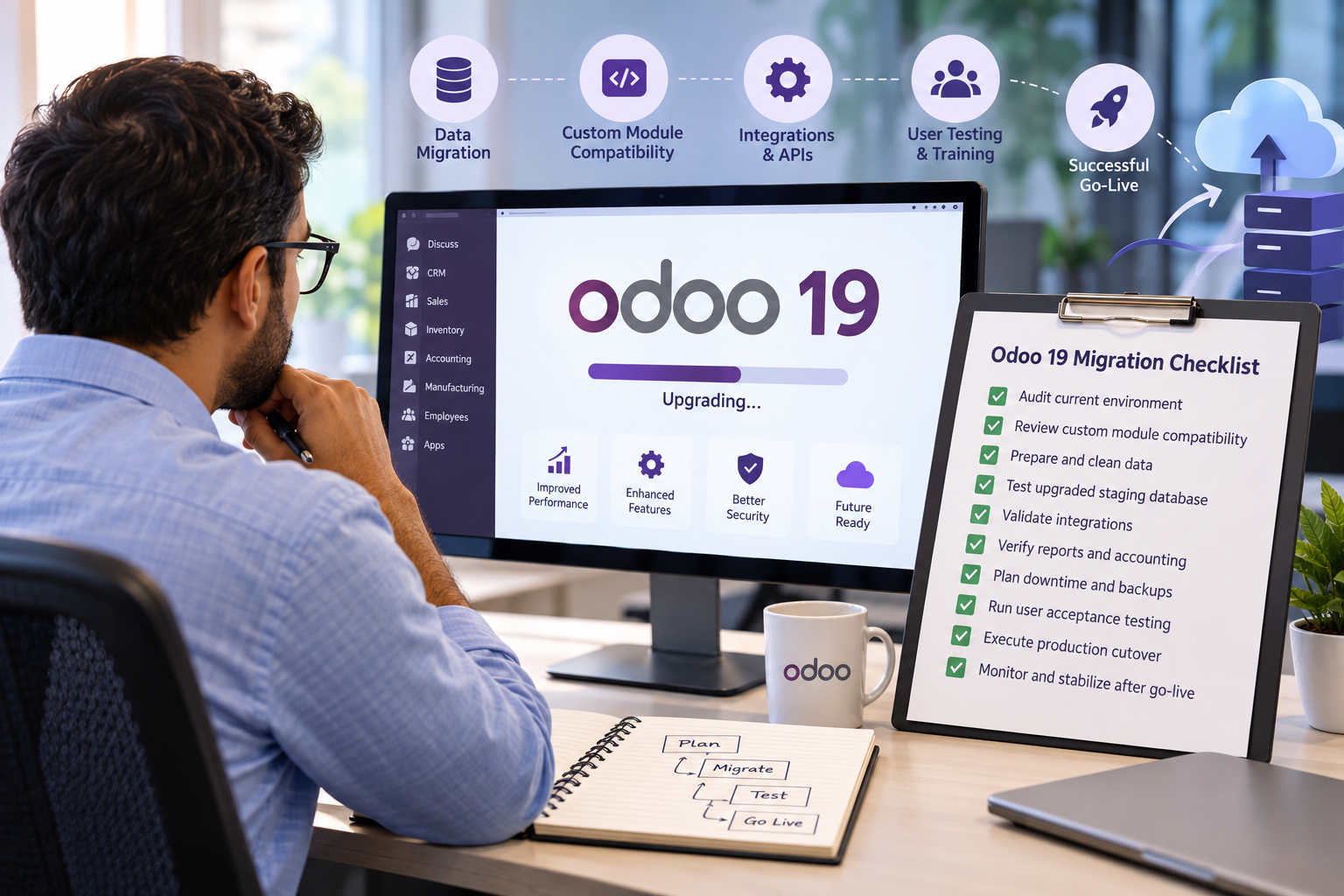
Moving to Odoo 19 is more than a version change. For an ERP manager, it is a controlled business transition that affects data, workflows, custom modules, integrations, users, and reporting. A successful upgrade should protect day-to-day operations while giving the business access to a supported Odoo environment. Odoo’s official upgrade guidance emphasizes using an upgraded test database, updating custom modules for the target version, testing business flows thoroughly, and moving to production only after issues are resolved. That is why Odoo Migration Services should begin with planning, not with a production database change.
Why ERP managers need a structured Odoo 19 migration checklist
ERP upgrades touch multiple teams at once. Finance may be concerned about opening balances and tax configurations, sales teams may depend on CRM automations, warehouse teams may rely on barcode flows, and management may expect dashboards to work exactly as before. At the same time, developers must confirm whether custom code and third-party modules remain compatible.
A checklist gives ERP managers a single control point for scope, ownership, testing, risk, and sign-off. It also helps separate standard upgrade tasks from odoo erp software development work that may be required for custom modules, integrations, or redesigned business processes.
1. Audit the current Odoo environment
Start by documenting what is running today. Record the current Odoo version, edition, hosting model, installed applications, active users, database size, custom modules, third-party apps, integrations, scheduled actions, reports, automated emails, payment connections, and external APIs.
Do not limit the audit to technical components. Identify the business-critical workflows that cannot fail after the upgrade. These might include quotation-to-order, purchase-to-receipt, manufacturing, invoicing, payroll, helpdesk, subscriptions, or multi-company accounting.
Good Odoo Migration Services should produce a clear inventory before any migration work begins. This baseline becomes the reference for estimating effort, testing coverage, and rollback preparation.
2. Review Odoo 19 compatibility for custom modules
Customizations are one of the biggest variables in an upgrade. Odoo documentation states that databases with custom modules need the module source code updated for the target version before the upgrade can be completed. This means ERP managers should not assume that a database upgrade alone will make every customization work.
Create a module-by-module compatibility list. Mark each customization as retain, refactor, replace with standard functionality, or retire. This is also the right stage to involve the odoo erp software development team and reduce unnecessary technical debt instead of carrying old code into the new environment.
For custom modules, developers should review models, views, fields, Python logic, JavaScript or Owl components, security rules, reports, scheduled jobs, and integration endpoints.
3. Prepare the data before migration
Data quality directly affects migration quality. Before moving to Odoo 19, identify duplicate contacts, obsolete products, inactive users, outdated price lists, old attachments, redundant custom fields, and records that no longer have operational value.
Odoo Data Migration should include clear rules for what will be moved, archived, cleaned, transformed, or excluded. ERP managers should also define validation totals for important datasets such as customers, vendors, products, invoices, journal entries, stock quantities, purchase orders, and sales orders.
The goal is not to delete history unnecessarily. The goal is to avoid carrying preventable clutter and inconsistent records into the upgraded system.
4. Create and test an upgraded staging database
Never make production your first full test. Odoo’s documented process recommends obtaining an upgraded test database and thoroughly testing it before planning the production upgrade. Test environments are intended to let teams validate day-to-day activities without affecting the live system.
Use the staging database to verify menus, permissions, forms, reports, automated actions, accounting flows, email templates, integrations, and user-specific processes. Odoo Migration Services should include several testing cycles if the ERP environment is heavily customized.
Create test scripts by department instead of asking users to “check the system.” For example, the sales team can create a lead, convert it to an opportunity, generate a quotation, confirm an order, create an invoice, and validate the resulting records. Structured scenarios make acceptance testing measurable.
5. Validate integrations and external systems
Many upgrade issues appear outside the core ERP. Review payment gateways, shipping providers, eCommerce connections, BI tools, banking feeds, marketplaces, document-signing tools, WhatsApp or SMS services, attendance devices, tax platforms, and custom APIs.
Confirm authentication methods, API payloads, field mappings, webhooks, scheduled synchronization, failure handling, and retry logic. If an integration depends on custom code, include it in the odoo erp software development compatibility review.
ERP managers should also identify which integrations need vendor coordination. A technically successful Odoo upgrade can still disrupt operations if a connected system stops exchanging data.
6. Test reports, accounting, and business controls
Reports deserve their own test plan because management decisions often depend on them. Compare pre-upgrade and post-upgrade figures for trial balance, profit and loss, balance sheet, aged receivables, aged payables, taxes, inventory valuation, sales, purchases, and other business-specific reports.
For Odoo Data Migration, reconcile record counts and financial totals rather than checking only whether records are visible. Confirm currencies, fiscal positions, taxes, journals, analytic dimensions, opening balances, and company-specific configurations.
Also test access rights. A migration should not accidentally expose payroll, financial, HR, or administrative information to unauthorized users.
7. Plan downtime, backups, and rollback readiness
The production upgrade needs a clearly communicated cutover window. Define when users must stop entering transactions, who will take the final backup, when data will be frozen, who will execute the upgrade, and who has authority to approve go-live.
Odoo’s documentation notes that the database can be unavailable during a production upgrade, so operational teams need advance notice. ERP managers should prepare contingency procedures for essential transactions that may occur during the maintenance window.
Professional Odoo Migration Services should also document backup verification and recovery responsibilities. A backup is useful only when the team knows where it is, how recent it is, and how it would be restored if the cutover does not meet acceptance criteria.
8. Run user acceptance testing with process owners
Technical testing cannot replace business testing. Ask process owners from finance, sales, purchase, inventory, manufacturing, HR, service, and other relevant teams to execute real scenarios in the upgraded environment.
Record every issue with severity, owner, expected behavior, actual behavior, and resolution status. Separate blockers from minor UI differences or training needs. Do not move to production while critical workflows remain uncertain.
This stage also gives users time to become familiar with changed screens, navigation, or process behavior before go-live.
9. Create a production cutover checklist
Your final cutover document should be short enough to follow under pressure. Include final backup, database freeze, custom module deployment, upgrade execution, configuration validation, integration checks, smoke testing, user access verification, and business-owner sign-off.
Assign one person to coordinate the cutover and one owner for each functional area. Odoo Migration Services are easier to manage when every step has a named owner, expected completion point, and escalation path.
Avoid adding last-minute customizations during the migration window. New feature requests should normally move to a post-upgrade backlog unless they are required for business continuity.
10. Monitor the system after go-live
Migration does not end when users log in. Monitor errors, scheduled jobs, integrations, email queues, performance, accounting postings, stock operations, and user support requests during the early post-go-live period.
Track issues by business impact and resolve high-priority items first. Keep the migration team available for stabilization and document any configuration changes made after launch.
The final phase of Odoo Migration Services should include knowledge transfer, updated technical documentation, user guidance, and a post-migration review. ERP managers can then compare the original objectives with actual results and decide which improvements belong in the next optimization phase.
A practical way to approach the Odoo 19 upgrade
An Odoo 19 upgrade is most successful when ERP managers treat it as a business change project supported by technical migration work. The essential sequence is straightforward: audit the current environment, assess customizations, clean and validate data, upgrade a test database, test business processes, prepare users, plan the production cutover, and monitor the system after launch.
The checklist also creates accountability. Instead of relying on assumptions, teams can demonstrate that data has been reconciled, custom modules have been tested, integrations have been validated, users have signed off, and recovery responsibilities are clear. With the right preparation, an Odoo 19 upgrade can become a controlled modernization step rather than a disruptive technical event.