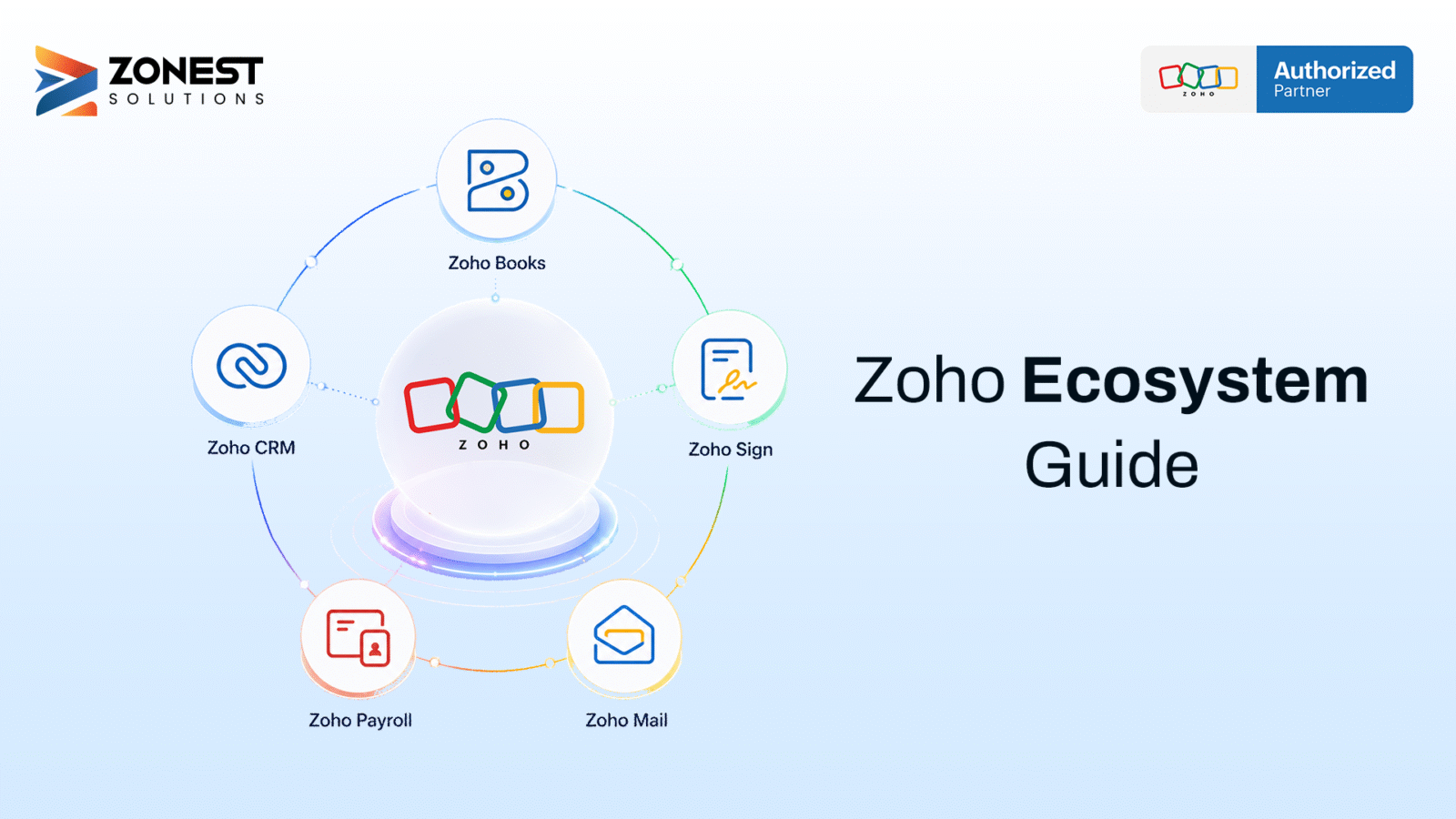
When we talk about the Zoho ecosystem, it includes over 50 integrated business applications that work as one unified platform. This ecosystem covers customer relationship management, finance, human resources, marketing, collaboration, project management, analytics, and automation.
Instead of using separate software for each department, businesses can manage multiple operations through a connected platform. The Zoho One ecosystem takes this further by bringing these applications together under one comprehensive package.
For growing companies, this approach can reduce data silos, manual data entry, and the complexity of managing multiple software vendors.
Key Takeaways
- The Zoho ecosystem includes more than 50 business applications for different business functions.
- Zoho One brings these applications together under one platform.
- Connected applications allow data to move between different business functions.
- Businesses can start with a few applications and expand as they grow.
- The ecosystem supports automation, reporting, collaboration, CRM, finance, HR, and other business processes.
1. What Is the Zoho Ecosystem?
The Zoho ecosystem consists of more than 50 business applications covering areas such as CRM, accounting, human resources, marketing, project management, customer support, collaboration, analytics, and automation.
What makes the Zoho ecosystem different is that its applications are designed to work together. Instead of maintaining separate systems for every department, businesses can connect their workflows and share information between applications.
For example, customer information added to Zoho CRM can be used by other connected applications. When a project is created, relevant customer information can be available to the project team without requiring duplicate data entry.
Think of the Zoho ecosystem as an operating system for your business. Different applications perform different jobs, but they work within the same overall environment.
How Is It Different From Using Separate Tools?
Growing businesses often use different software tools for sales, finance, support, marketing, HR, and project management. This fragmented approach can create several problems:
- Data exists in separate systems.
- Employees need to manage multiple logins.
- Teams work with different interfaces.
- Reports require information from multiple tools.
- Employees may need to enter the same information more than once.
- Data stored in spreadsheets can become outdated or inaccurate.
The Zoho ecosystem addresses these challenges by connecting business applications.
Instead of moving information manually between systems, connected applications can share data and support automated workflows. This allows teams to work with more consistent information and reduces repetitive tasks.
2. Major Zoho Apps by Function
The Zoho apps list includes applications for almost every major business function. Businesses do not need to use all of them. Most companies can start with a few applications and add more as their requirements grow.
Sales and CRM
Zoho CRM helps businesses manage leads, customer information, sales activities, and pipelines.
Zoho Bigin is a lightweight CRM designed for smaller teams that need essential customer relationship management features.
Zoho SalesIQ provides website live chat and visitor tracking, helping sales teams engage with potential customers.
Together, these tools can help businesses manage customer information and sales activities from lead generation through the sales process.
Finance and Accounting
Zoho Books supports accounting, invoicing, expense tracking, and financial reporting.
Zoho Expense helps businesses manage employee expenses and approval workflows.
Zoho Payroll supports payroll processing and compliance in supported markets.
These finance applications can work with CRM and other Zoho applications, helping businesses reduce duplicate data entry and maintain consistent customer and financial information.
Marketing
Zoho Campaigns helps businesses create and automate email marketing campaigns, manage audiences, and track campaign performance.
Zoho Social supports social media publishing, scheduling, and analytics.
Zoho Marketing Automation helps businesses manage customer journeys and automate marketing activities based on customer behavior.
Connecting marketing applications with CRM allows marketing and sales teams to work with shared customer information.
HR and People Management
Zoho People helps manage employee information, attendance, leave, and performance-related processes.
Zoho Recruit supports recruitment by managing job openings, candidates, resumes, interviews, and hiring workflows.
Zoho Payroll can support salary processing and payroll-related activities in supported markets.
These applications help centralize employee and recruitment information while connecting HR processes with other business functions.
Customer Support
Zoho Desk helps businesses manage customer support tickets, service-level agreements, and knowledge bases.
Zoho Assist provides remote support capabilities for customers and internal teams.
When support applications are connected with CRM, support teams can access relevant customer information and previous interactions, helping them handle customer requests with better context.
Team Collaboration
Zoho Mail provides business email hosting.
Zoho Cliq supports team messaging and communication.
Zoho WorkDrive provides file storage and document management.
Zoho Meeting supports online meetings and webinars.
Zoho Projects helps teams manage projects, tasks, timelines, and responsibilities.
These applications help employees communicate, manage files, and collaborate without depending on multiple disconnected platforms.
Data and Reporting
Zoho Analytics helps businesses create dashboards, reports, and business intelligence views using data from different sources.
Zoho DataPrep helps clean and prepare data before analysis by removing duplicates, standardizing formats, and transforming information.
These tools help business leaders bring information from different business functions into reports and dashboards.
Custom Apps and Automation
Zoho Creator allows businesses to build custom applications using low-code tools.
Zoho Flow helps connect applications and automate workflows based on specific events and conditions.
These tools provide additional flexibility when standard application features are not enough for a specific business process.
3. How Data Moves Between Zoho Apps
One of the major benefits of an integrated business ecosystem is data synchronization.
Consider a simple customer journey:
- A website visitor submits a contact form.
- The information enters Zoho CRM as a lead.
- The sales team manages the lead through the pipeline.
- When the deal closes, customer information can be used in Zoho Books.
- Zoho Books can be used for invoicing and financial records.
- Zoho Analytics can use available business data to create reports.
This connected workflow can reduce the need for employees to repeatedly copy information between applications.
Zoho Flow for Automation
Some business processes require customized automation. Zoho Flow can connect applications and trigger actions based on specific events.
For example, when a high-priority support ticket is created in Zoho Desk, an automated workflow can notify the appropriate team and create a task in Zoho Projects.
Zoho Flow can also connect Zoho applications with third-party tools. This allows businesses to build workflows around their existing technology environment.
4. What Is Zoho One?
Zoho One is an all-in-one subscription that provides access to a broad collection of Zoho applications under centralized administration.
It provides features such as:
- One login for multiple applications
- Centralized administration
- Unified subscription management
- Access to applications across different business functions
- Connected workflows between applications
Zoho One is designed for businesses that want to manage multiple areas of their operations through one ecosystem instead of purchasing and managing many disconnected tools.
Zoho One vs Individual Apps
The right choice depends on the business.
If a company needs only one or two applications, individual subscriptions may be sufficient.
If several departments need multiple applications, Zoho One can provide a more connected approach.
Businesses should consider:
- Number of applications required
- Number of employees
- Current workflows
- Integration requirements
- Growth plans
- Budget
- Data management requirements
Businesses should evaluate their actual requirements rather than activating every available application immediately.
Zoho One Licensing
Zoho One provides different licensing approaches, including Flexible User Pricing and All Employee Pricing.
Flexible User Pricing allows businesses to license employees who need access.
All Employee Pricing requires licensing all employees and can be suitable for organizations where multiple departments need access to the ecosystem.
Businesses should evaluate their employee structure and application requirements before selecting a licensing model.
5. How Zoho Apps Work Together in Real Businesses
E-commerce Business
An e-commerce business may need CRM, marketing, inventory, accounting, and reporting.
Zoho CRM can manage customer information and sales activities. Zoho Campaigns can support email marketing. Zoho Inventory can help manage stock. Zoho Books can support invoicing and accounting. Zoho Analytics can bring information into dashboards.
Connecting these applications can reduce manual data entry and provide better visibility into sales, inventory, and financial information.
Professional Services Business
A consulting or professional services company may need CRM, project management, accounting, HR, and customer support.
Zoho CRM can manage leads and deals. Zoho Projects can support project delivery. Zoho Books can manage billing. Zoho People can manage employee information. Zoho Desk can handle customer support.
This creates a connected workflow from sales through project delivery, billing, employee management, and customer support.
Small Business
Small businesses do not need to start with the entire Zoho ecosystem.
A simple starting combination could include:
- Zoho CRM for sales and customer management
- Zoho Books for accounting and invoicing
- Zoho Mail for business email
As the business grows, it can add applications such as Zoho Desk, Zoho Projects, Zoho People, and Zoho Analytics.
This allows businesses to expand their technology environment without immediately implementing a large number of applications.
6. Benefits of the Zoho Ecosystem
Reduced Manual Data Entry
Connected applications reduce the need to enter the same customer or business information multiple times.
When information is shared between applications, employees can spend less time copying data and more time on productive tasks.
Better Business Visibility
Zoho Analytics can bring information from different applications into dashboards and reports.
Instead of collecting separate reports from sales, finance, support, and other departments, businesses can create a more connected view of their operations.
Connected Workflows
Sales, finance, marketing, HR, support, and project teams can work with connected information.
This helps businesses create workflows that move information from one department to another without relying entirely on manual processes.
Simplified Software Management
Using a connected ecosystem can reduce the complexity of managing multiple software vendors, subscriptions, and systems.
Businesses can manage several functions within the Zoho environment rather than maintaining completely separate platforms for every department.
Easier Employee Adoption
Zoho applications follow a consistent design approach. Employees who are familiar with one Zoho application may find it easier to learn other applications within the ecosystem.
Flexible Growth
Businesses can start with a small number of applications and add more as their requirements change.
This allows the technology environment to grow with the business instead of requiring a complete platform change as operations expand.
7. Recommended Zoho App Stacks
Starter Stack: 1–10 Employees
Zoho CRM + Zoho Books + Zoho Mail
This combination covers sales management, customer information, accounting, invoicing, and business email.
Growth Stack: 10–50 Employees
Zoho CRM + Zoho Books + Zoho Desk + Zoho Projects + Zoho People
This setup expands coverage into customer support, project management, and HR.
Larger or Fast-Growing Business
Businesses with broader requirements can consider the Zoho One ecosystem.
A phased approach can begin with core applications such as CRM, Books, People, Desk, and Analytics, followed by applications for marketing, projects, inventory, and automation.
8. What to Consider Before Setting Up Zoho
Start With Core Workflows
A common mistake is trying to implement too many applications at once.
Instead, businesses should identify their two or three most important workflows and configure those applications first.
Once employees become comfortable with the initial setup, additional applications can be introduced.
Maintain Clean Data
Data quality is important because information can move between connected applications.
Before migration, businesses should:
- Remove duplicate records
- Standardize information
- Validate important fields
- Map existing data correctly
- Review data before importing it
Clean data helps prevent problems across connected applications.
Consider Professional Implementation
A structured implementation can help businesses with system design, configuration, data migration, integrations, automation, testing, and employee training.
A Zoho implementation partner can help businesses plan the rollout according to their specific workflows and requirements.
Conclusion
The Zoho ecosystem provides businesses with a connected approach to managing sales, finance, marketing, HR, customer support, projects, collaboration, analytics, and automation.
Instead of relying on many disconnected tools, businesses can build an integrated technology environment where information moves between applications and teams work with shared data.
Zoho One can be particularly useful for businesses that need multiple applications across different departments. However, successful implementation depends on choosing the right applications, maintaining clean data, and introducing the system through a structured approach.
Businesses should start by identifying their most important workflows and the areas where manual data entry or disconnected systems create problems. From there, they can select the right Zoho applications and expand the ecosystem as their needs grow.
ZoNest helps businesses evaluate, implement, customize, integrate, and manage Zoho solutions based on their specific requirements. A structured approach can help businesses get more value from the Zoho ecosystem while reducing implementation complexity.