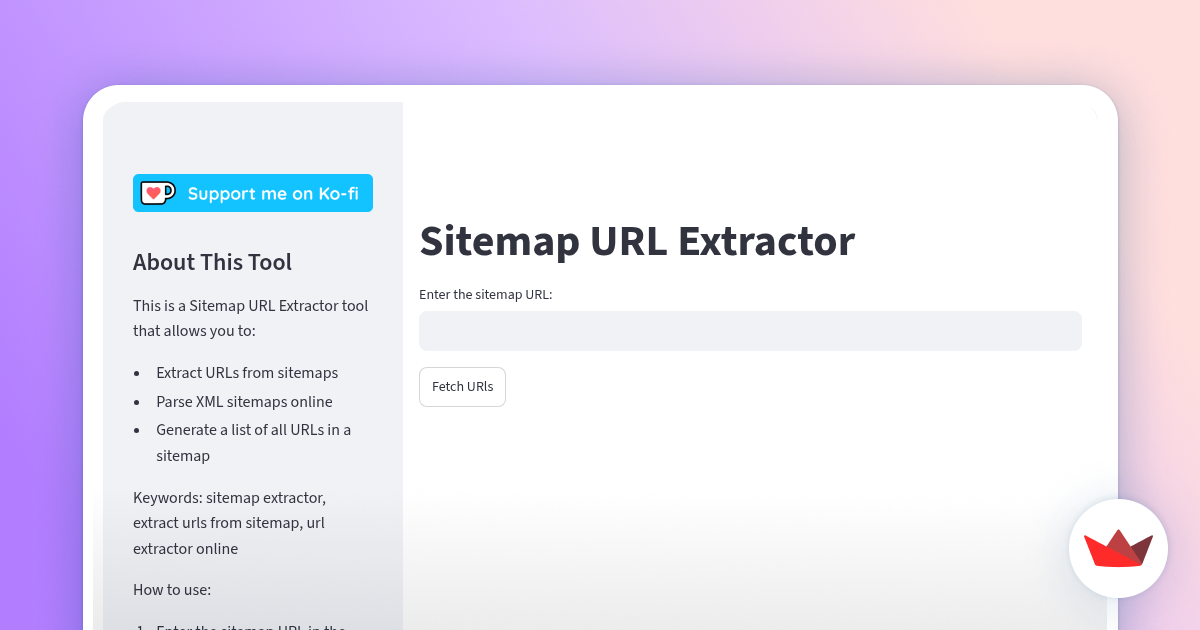
An organized website structure is the foundation of digital success. As websites expand with hundreds or thousands of pages, tracking and managing every web address becomes essential for webmasters, digital marketers, and site owners. An XML sitemap acts as a clear roadmap for search engine crawlers, pointing directly to all important landing pages, blog posts, and media files. When performing site audits, content updates, or technical reviews, the ability to extract urls from sitemap files instantly streamlines your workflow, allowing you to organize and analyze your site architecture effortlessly.
In this practical and easy-to-understand guide, we will explore what sitemaps are, why extracting URL lists is helpful for website management, best practices for sitemap optimization, and how to simplify your overall technical SEO strategy.
Understanding XML Sitemaps and Their Importance
An XML sitemap is a specialized file formatted specifically for search engine bots like Googlebot and Bingbot. It lists all the essential pages on your website, providing search engines with valuable information about when each page was created, how often it gets updated, and how it fits into your site structure.
Rather than waiting for search crawlers to find new content solely through internal links, a well-structured XML sitemap presents your entire content library directly to search bots in one structured document.
Types of Web Sitemaps
To serve different audience and technical needs, webmasters utilize two primary sitemap formats:
-
XML Sitemaps: Designed exclusively for search engine bots. These files contain technical markup tags that help search engines crawl and index pages efficiently.
-
HTML Sitemaps: Designed primarily for human visitors. These pages present a visual list of links, functioning like an interactive table of contents for readers exploring your platform.
-
Image and Video Sitemaps: Specialized XML extensions designed to help search engines discover and index media files, improving visibility in image and video search results.
Why Extracting URLs from a Sitemap Benefits Your Strategy
Extracting a clean, simple list of web addresses directly from an XML sitemap provides immense value across various technical and content marketing workflows.
1. Simplifying Technical SEO Audits
During a comprehensive technical audit, SEO specialists need a complete inventory of published URLs. Extracting the list directly from your sitemap provides an accurate baseline. You can quickly cross-reference this list with live page statuses, canonical tags, and mobile accessibility settings.
2. Streamlining Content Audits and Updates
Over time, blogs and business websites publish dozens of insightful guides, product reviews, and news updates. Exporting your sitemap URLs into a clean spreadsheet makes it easy to organize content updates, schedule refreshes, and track performance metrics across your entire site.
3. Improving Migrations and Redesigns
When redesigning a website or changing domain names, ensuring that every existing page is accounted for is crucial. Having a complete list of URLs extracted from your current sitemap allows you to map out seamless 301 redirects to new pages, preserving your site’s search authority and user experience.
4. Enhancing Competitor Research and Industry Insights
Examining a competitor’s public XML sitemap offers a clear look into their content organization and publishing frequency. Extracting their published links helps you identify popular topics, uncover content opportunities, and benchmark your own publishing strategy effectively.
Understanding Key Elements Within XML Sitemaps
When you look inside a standard XML sitemap file, you will notice structured code tags surrounding every web address. Understanding these basic tags makes working with sitemaps simple and intuitive.
The Standard XML Sitemap Format
Here is a simple example of how pages are listed in an XML sitemap:
<urlset xmlns="http://www.sitemaps.org/schemas/sitemap/0.9">
  <url>
    <loc>https://example.com/blog/seo-tips</loc>
    <lastmod>2026-03-15</lastmod>
    <changefreq>weekly</changefreq>
    <priority>0.8</priority>
  </url>
</urlset>
Key Sitemap Tags Explained
-
<loc>: The location tag holds the exact web address (URL) of the page. This is the primary piece of data extracted during analysis. -
<lastmod>: Indicates the date when the specific page was last modified, helping crawlers know if fresh content needs re-indexing. -
<changefreq>: Suggests how frequently the content on that page is likely to change (e.g., daily, weekly, or monthly). -
<priority>: Provides a relative priority score (ranging from 0.0 to 1.0) to tell crawlers which pages are most important relative to other pages on your site.
How to Manage and Extract Sitemap URLs Efficiently
Extracting web addresses manually from large code files can take hours. Fortunately, modern automated methods make gathering clean URL lists fast and reliable.
Step 1: Locate Your Sitemap Address
Most websites publish their main sitemap at predictable web addresses, such as:
-
https://example.com/sitemap.xml -
https://example.com/sitemap_index.xml
You can also find the sitemap address by checking the bottom of the site’s robots.txt file or looking inside Google Search Console.
Step 2: Select Your Extraction Method
Depending on your preference and technical setup, you can extract links using a few simple approaches:
-
Spreadsheet Functions: You can import XML directly into Google Sheets or Microsoft Excel using custom formulas that read the
<loc>tags automatically. -
Browser Extensions: Simple browser addons can read an XML file displayed on your screen and extract all visible hyperlinks with a single click.
-
Dedicated Online Tools: Utilizing a dedicated sitemap url extractor allows you to simply paste your sitemap address and receive a clean, organized list of URLs in seconds without writing code or formulas.
Step 3: Organize Data for Strategy and Execution
Once you have gathered your extracted list, import the web addresses into your project management tools or spreadsheets. Group your URLs by category, publish date, or performance goals to keep your website management completely organized.
Best Practices for Maintaining Optimized Sitemaps
To ensure your sitemaps always work in harmony with search engine crawlers, follow these easy best practices:
-
Keep Sitemaps Fresh and Dynamic: Ensure your sitemap updates automatically whenever you publish new articles or edit existing landing pages.
-
Use Absolute Web Addresses: Always list complete, absolute URLs (including
https://) rather than partial or relative paths. -
Include Only Clean Canonical Pages: Ensure that every URL included in your sitemap returns a healthy response and represents the main version of that page.
-
Submit Your Sitemap to Search Consoles: Submit your primary sitemap link directly to Google Search Console and Bing Webmaster Tools to accelerate discovery and monitor indexing health.
-
Keep File Sizes Manageable: Standard sitemap files should contain no more than 50,000 URLs and remain under 50MB uncompressed. If your website is larger, use a sitemap index file to group multiple smaller sitemaps together seamlessly.
Conclusion
Managing an XML sitemap is a key part of running a successful, search-engine-friendly website. Sitemaps serve as an invaluable bridge between your content library and search engine bots, ensuring that every piece of quality content gets the visibility it deserves. By extracting and organizing your URLs regularly, you gain complete clarity over your site structure, empower your technical SEO audits, and build a smooth pathway for ongoing organic growth.
Frequently Asked Questions (FAQs)
What is the main purpose of an XML sitemap?
An XML sitemap is a structured file that lists all important web addresses on a website. It helps search engine crawlers discover, navigate, and index new and updated content efficiently.
Where can I find a website’s sitemap?
You can usually find a website’s sitemap by adding /sitemap.xml to the main domain name (e.g., https://example.com/sitemap.xml) or by checking the website’s robots.txt file.
Does extracting URLs from a sitemap affect my website?
Not at all! Extracting URLs simply reads the public web addresses listed in the sitemap file. It is a completely safe process used by site owners, marketers, and technical auditors to analyze website architecture.
How often should my XML sitemap be updated?
Your XML sitemap should update automatically whenever new pages are created, published, modified, or removed. Most modern content management systems handle sitemap updates dynamically in real time.