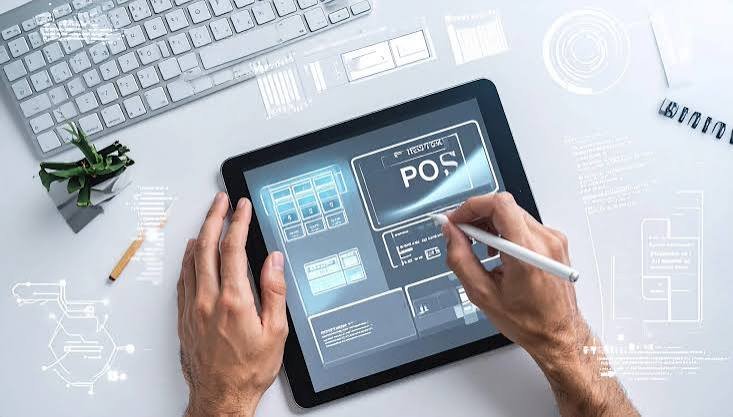
A Point of Sale (POS) system is an essential part of many businesses that sell products or services directly to customers. From processing payments and printing receipts to tracking products and managing sales data, a POS system connects many important activities at the point of purchase.
As businesses grow, basic POS applications may not provide the flexibility needed to support different locations, products, payment methods, inventory processes, and customer programs. Custom POS System Development allows businesses to create a solution around their specific operations instead of adapting their workflow to a standard platform.
A customized POS can help businesses manage transactions, connect inventory, improve reporting, and create a smoother checkout experience.
What Is a Custom POS System?
A custom POS system is software developed specifically for a business’s sales and transaction requirements. It can be designed to work with the company’s preferred hardware, payment methods, inventory systems, customer databases, and reporting tools.
Unlike a standard POS application, a custom solution can be built around the way a business actually operates.
For example, a grocery store may need barcode scanners and weighing-scale integration, while an apparel store may require size and color variations. A restaurant may need table management and order processing features.
Custom development allows these different requirements to be incorporated into one system.
Why Businesses Need Custom POS Software
A POS system is more than a payment terminal. It can become an important source of operational information.
Businesses may use POS software to:
- Process customer transactions
- Track product sales
- Manage inventory
- Generate receipts
- Support different payment methods
- Manage discounts and promotions
- Track customer purchases
- Monitor employee activity
- Generate sales reports
- Connect multiple business locations
When these functions are connected, businesses can manage sales operations through a more centralized system.
Key Features of Custom POS Software
The features of a POS system should reflect the business model and the needs of employees using it every day.
Fast Checkout
Checkout speed can have a direct impact on the customer experience, especially during busy periods.
A customized POS interface can be designed with simple navigation, product search, barcode scanning, shortcuts, and an efficient payment process.
The objective is to make common transactions easy for cashiers without filling the interface with unnecessary options.
Multiple Payment Methods
Customers may prefer different ways to pay for their purchases.
A custom POS can be designed to support payment methods such as cash, debit and credit cards, mobile payments, digital wallets, and other available payment options.
Businesses can also build workflows for split payments where customers use more than one payment method for a single transaction.
Receipt Management
POS systems can generate receipts after a transaction is completed.
Depending on business requirements, receipts may be printed or delivered digitally. Custom templates can also be designed to include business branding and relevant transaction information.
Return and exchange receipts can be supported as part of the overall sales workflow.
Inventory Integration
Connecting POS software with inventory management can provide businesses with a better view of product movement.
When an item is sold, the relevant inventory information can be updated within the connected system. This can help employees monitor product availability and identify items that may need replenishment.
For businesses operating multiple locations, centralized inventory information can also support stock visibility across branches.
Customer Management and Loyalty Programs
Modern POS systems can also support customer relationships.
A customer profile can contain information such as contact details, previous purchases, preferences, discounts, or loyalty activity, depending on the business requirements.
Businesses can use this information to create loyalty programs, offer rewards, apply customer-specific discounts, or better understand purchasing behavior.
A customized POS can connect customer management directly with the checkout process.
Offline POS Functionality
Internet connectivity is important for many cloud-based business applications, but retail stores cannot always depend on a continuous connection.
A POS system can be designed with offline capabilities that allow selected transactions to continue when connectivity is temporarily unavailable.
Transaction information can be stored locally and synchronized with the central system when the connection is restored.
This can be particularly useful for businesses where uninterrupted checkout is important.
POS for Multiple Locations
Businesses with multiple stores need a way to manage sales information across different branches.
A centralized POS environment can allow authorized managers to monitor transactions, products, employees, and other information across locations.
Head-office teams may also be able to manage product information, pricing, promotions, and reporting from a central administration area.
This creates a more consistent approach to managing multiple retail locations.
POS Systems for Different Industries
POS requirements vary from one business to another.
Grocery Stores
Grocery businesses often handle large product catalogs and high transaction volumes. A POS can support barcode scanning, weighing equipment, product lookup, discounts, and inventory updates.
Clothing and Apparel Stores
Apparel retailers often manage products with different sizes, colors, styles, and variations. A customized POS can make it easier for staff to locate product variations and complete transactions.
Restaurants
Restaurants may require POS functionality for orders, tables, menus, kitchen communication, payments, and customer receipts.
Pharmacies
Pharmacies can require product tracking, customer information, inventory management, and specialized sales workflows depending on their operational requirements.
Multi-Branch Retail Businesses
Businesses with several locations can use centralized POS software to connect sales activity and provide management with a broader view of operations.
POS Integration With Other Business Systems
A POS system can become more useful when connected with other business applications.
Custom POS development can support integration with:
- Inventory management systems
- ERP software
- CRM platforms
- E-commerce websites
- Accounting software
- Payment gateways
- Customer loyalty platforms
- Barcode scanners
- Receipt printers
- Digital weighing scales
For example, an online store and physical retail location can share relevant product and inventory information through an integrated system.
This can reduce duplicate data entry and create a more connected sales environment.
Custom POS vs. Ready-Made POS
Ready-made POS applications can be useful for businesses with standard requirements. However, they may not provide the flexibility needed by companies with specialized workflows.
| Custom POS System | Ready-Made POS |
|---|---|
| Designed around business-specific processes | Uses predefined workflows |
| Can support selected hardware | Hardware compatibility depends on provider |
| Custom integrations can be developed | Integration options vary |
| Interface can be tailored to employees | Interface is generally standardized |
| Features can evolve with the business | Changes depend on the software provider |
The appropriate choice depends on the business’s size, industry, operational needs, and long-term plans.
Security and User Permissions
POS systems process important business and customer information, making security an important part of development.
A custom POS can include different access levels for cashiers, supervisors, managers, and administrators.
For example, a cashier may process sales but have limited access to reports or configuration settings. Managers may receive additional permissions for refunds, discounts, and reporting.
Security features can also include authentication, activity logs, secure data storage, backups, and controlled administrative access.
How Custom POS Software Is Developed
Developing a POS system requires an understanding of both business operations and the hardware used at the checkout.
1. Business Analysis
The development team studies transaction workflows, products, payment methods, locations, employees, hardware, and existing software.
2. Feature Planning
The required POS modules, integrations, user roles, reports, and automation features are defined.
3. UI/UX Design
The interface is designed for fast and simple use. Since cashiers may process many transactions throughout the day, minimizing unnecessary steps is important.
4. Development and Integration
Developers build the POS software and connect it with required hardware, databases, payment services, inventory systems, or other applications.
5. Testing
The system is tested under different transaction scenarios, including payment processing, refunds, inventory updates, offline situations, and hardware interactions.
6. Deployment and Support
After testing, the POS can be deployed across the required locations. Ongoing maintenance and technical support can help the system adapt as business requirements change.
Why Choose Inteligente Solutions for POS Development?
Inteligente Solutions provides custom POS development services designed around business requirements. Its POS solutions focus on areas such as checkout operations, inventory synchronization, customer management, multiple payment options, offline transaction support, and integration with retail hardware and business systems.
The development approach begins with understanding the business environment and hardware requirements before designing and building the POS solution. This can help ensure that the final system fits the way employees actually process sales.
Conclusion
A modern POS system can do much more than process payments. It can connect sales, inventory, customers, employees, reporting, and other business operations through one platform.
Custom POS System Development gives businesses the flexibility to create software around their specific products, transaction processes, hardware, payment methods, and operational requirements.
Whether a business operates a single store or multiple locations, a customized POS can provide a foundation for organized sales management and future expansion. The key is to design the system around real business workflows and create an interface that employees can use efficiently every day.