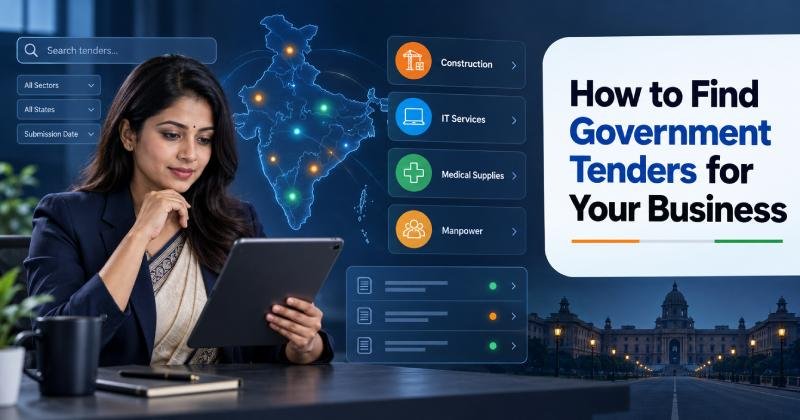
Government departments purchase products and services from private businesses throughout the year. Opportunities may involve office supplies, construction, medical equipment, software, security, transportation, maintenance, consulting and many other industries.
Finding a tender is easy. Finding one that matches your business, location, experience and financial capacity takes more work. Many companies waste time reading irrelevant notices or discover suitable opportunities only when the submission deadline is close.
A structured government tender search can help you identify relevant opportunities earlier, prepare better submissions and avoid spending resources on bids you are unlikely to qualify for. This guide explains where to search, which filters to use and how to build a practical tender-monitoring system.
Understand What You Want to Find
Before opening a tender portal, define the type of opportunity your business needs. Searching without clear criteria can produce hundreds of notices that have little connection to your actual capabilities.
Start by writing down:
- Products or services you offer
- Industries you serve
- Government departments likely to buy from you
- States and cities where you can deliver
- Minimum and maximum contract value
- Available working capital
- Relevant licences and certifications
- Previous project experience
- Manufacturing or reseller status
- Delivery capacity
- Technical team strength
For example, a company offering CCTV installation should not search only for “CCTV tender.” Government buyers may describe the same requirement as surveillance system, IP camera, security equipment, command-and-control system, video monitoring or annual maintenance of surveillance equipment.
Creating a keyword list before searching will help you uncover more relevant notices.
Use a Tender Information Platform
Checking every central, state, municipal and public sector procurement website manually can take several hours each day. Tender aggregation platforms collect opportunities from multiple sources and make them easier to search by keyword, location, authority and category.
Businesses can use Tender18 to find government tenders online and receive relevant opportunities based on their products or services. The platform also provides access to current tender information and related bidding assistance.
A tender information service is most useful when its alerts are customised. Generic notifications containing hundreds of unrelated opportunities can become difficult to review. Configure the service around specific keywords, locations, departments and procurement categories.
Search the Government e-Marketplace
The Government e-Marketplace, commonly called GeM, is an important procurement platform for businesses interested in selling goods or services to government buyers.
GeM may offer opportunities through:
- Direct purchase
- Product comparison
- Formal bids
- Custom bids
- BOQ-based bids
- Reverse auctions
- Service procurement
Registered sellers can search for bids related to their categories. However, sellers should not depend only on the category assigned to their catalogue. Buyers may use different words when describing a requirement.
Search with product names, technical terms and common variations. A furniture supplier, for example, could use:
- Office furniture
- Executive table
- Modular workstation
- Office chair
- Storage cabinet
- School desk
- Steel almirah
- Library furniture
Review the complete bid document before deciding to participate. The title alone may not show the detailed technical specifications or eligibility requirements.
Check the Central Public Procurement Portal
The Central Public Procurement Portal provides procurement information from central government ministries, departments, public sector organisations and autonomous bodies.
Businesses can use it to search for:
- Active tenders
- Tender enquiries
- Corrigenda
- Contract awards
- Archived notices
- Organisation-specific opportunities
Search by organisation, location, classification and publication date. If you frequently supply a particular department, save its name in your tracking sheet and check for new notices regularly.
The portal may contain large and specialised contracts. Read the qualification conditions carefully because some notices require previous experience with government organisations or contracts of a certain value.
Monitor State eProcurement Portals
Each state may operate its own eProcurement system. These portals publish tenders from state departments, local bodies, public works departments, development authorities, government hospitals, universities and other state-controlled organisations.
A business operating in a limited region should prioritise its home state and neighbouring states where delivery is practical.
Common state-level opportunities include:
- Civil construction
- Road repair
- Water supply
- Electrical work
- Building maintenance
- Medical supplies
- School equipment
- Manpower services
- Vehicle hiring
- Printing
- IT services
- Local infrastructure projects
State portals may require separate bidder registration and Digital Signature Certificate configuration. Complete these formalities before a suitable tender appears so that registration delays do not prevent participation.
Search Organisation-Specific Procurement Websites
Some public sector undertakings, banks, educational institutions, utilities and transport organisations publish tenders on their own websites or dedicated procurement systems.
Depending on your industry, monitor organisations such as:
- Indian Railways
- Public sector banks
- Oil and gas companies
- Electricity utilities
- Municipal corporations
- Port authorities
- Airports
- Government hospitals
- Public universities
- Defence organisations
- Infrastructure authorities
- State transport corporations
Identify ten to twenty organisations that regularly purchase what you sell. Check their procurement pages or configure alerts for their names.
This focused approach is usually more productive than searching every government organisation without a clear connection to your business.
Build a Strong Tender Keyword List
The quality of your keyword list directly affects the opportunities you find. Government buyers may use technical language, department terminology, abbreviations or older product names.
Create keywords in the following groups.
Product or service names
List the exact names of your main offerings.
Examples:
- Fire extinguisher
- Water purifier
- Facility management
- Solar panel
- Manpower outsourcing
- Computer hardware
Technical variations
Add specifications and alternative descriptions.
Examples:
- Fire suppression system
- RO water treatment plant
- Housekeeping service
- Rooftop solar system
- Security manpower
- Desktop computer
Industry terms
Include broader procurement categories.
Examples:
- Fire safety equipment
- Water treatment
- Building maintenance
- Renewable energy
- Workforce services
- IT equipment
Common abbreviations
Government tender descriptions frequently use shortened terms.
Examples:
- CCTV
- AMC
- STP
- WTP
- HVAC
- DG set
- UPS
- BMS
Brand-neutral terms
Do not rely on commercial brand names. Government buyers often use generic descriptions.
Related work terms
A product supplier may also qualify for installation, commissioning, repair or annual maintenance contracts. Add these service terms to the search.
Review the list every month. Add phrases found in relevant tender notices and remove terms that consistently generate unrelated results.
Use Search Filters Carefully
Tender portals provide filters that can reduce a large result set. Useful filters may include:
- State
- City
- Government authority
- Tender category
- Publication date
- Closing date
- Tender value
- Product or service type
- Procurement method
- Keyword
- Organisation
- Tender status
Avoid applying too many narrow filters at once. A tender may use a different city name, category or estimated value than expected.
Begin with a keyword and broad location. Review the results, then apply additional filters gradually.
If your business can serve several states, create a separate saved search for each region. This makes it easier to compare local opportunities and delivery requirements.
Search Using Buyer Language
Businesses often search using marketing language, while government buyers use procurement language.
A digital marketing agency may search for “digital marketing services,” but a tender could be titled:
- Social media management
- Online publicity services
- Digital outreach campaign
- Website promotion
- Creative and media agency
- Public relations and communication support
- Online reputation management
A hospital equipment supplier may search for “medical equipment,” while buyers may publish separate notices for monitors, pumps, beds, diagnostic devices or consumables.
Study past notices in your industry. Record the words used in titles, scope descriptions and BOQs. Those terms can reveal opportunities that broad commercial keywords miss.
Use Google Search as a Supporting Method
Procurement portals should remain the primary source, but search engines can help locate tender pages and notices from smaller government websites.
Useful search combinations include:
- Product name + tender
- Service name + government tender
- Product name + eProcurement
- Service name + bid notice
- Product name + tender PDF
- Department name + tender
- Site name + procurement
You can also use search operators such as:
site:gov.insite:nic.infiletype:pdf- Exact-match quotation marks
For example:
"solar rooftop" tender site:gov.in
Search results may include expired or archived notices, so always verify the status, closing date and official source before preparing a bid.
Never submit documents or payments through an unfamiliar website simply because it appears in search results. Confirm the opportunity on the official procurement portal.
Set Up Daily Tender Alerts
Tender opportunities can have short submission periods. A daily alert system helps businesses review new notices before deadlines become urgent.
Alerts may be delivered through:
- Portal dashboard
- Saved searches
- Mobile notifications
- Internal tracking software
Effective alerts should include:
- Tender title
- Buyer organisation
- Location
- Publication date
- Closing date
- Estimated value, when available
- EMD
- Tender reference number
- Source portal
- Link to the notice
Assign one person to review alerts each working day. Without ownership, notifications may arrive but remain unread.
The reviewer should classify each tender as:
- Relevant
- Possibly relevant
- Not relevant
- Requires technical review
- Requires management approval
Review the Tender Summary Before Downloading Everything
When an alert looks relevant, conduct a quick initial review before downloading and studying every document.
Check:
- What is the buyer purchasing?
- Where must it be delivered?
- What is the submission deadline?
- Is there a tender fee or EMD?
- What experience is required?
- Is there a turnover condition?
- Are specific certifications required?
- Is a site visit mandatory?
- Can your business meet the delivery schedule?
- Does the contract value fit your capacity?
This short review prevents the bidding team from spending hours on clearly unsuitable opportunities.
Evaluate Eligibility Before Deciding to Bid
A tender may match your product but not your qualifications. Check eligibility before beginning detailed document preparation.
Common conditions include:
- Minimum annual turnover
- Similar project experience
- Completed order value
- Years in business
- OEM or reseller status
- Product certification
- Quality management certification
- Local office requirement
- Technical staff
- Bank solvency
- Government registration
- Tender-specific licences
Prepare an eligibility matrix showing each condition, your compliance status and the supporting document.
If the business cannot meet a mandatory requirement, do not attempt to hide the gap. Look for another opportunity or consider a permitted partnership, consortium or subcontracting arrangement if the tender allows it.
Check the Tender Value and Financial Requirements
A high-value tender may appear attractive but require substantial working capital. Before bidding, review:
- EMD
- Performance security
- Payment schedule
- Credit period
- Retention amount
- Delivery costs
- Taxes
- Insurance
- Warranty obligations
- Penalties
- Price validity
- Contract duration
A contract can create financial pressure if the buyer pays after delivery while the supplier must purchase materials in advance.
Estimate the entire cash cycle, not only the quoted price. Confirm whether your business can manage the contract without affecting existing operations.
Review Delivery and Location Conditions
Location affects transport costs, installation, staffing, response time and after-sales support.
Check whether the contract requires:
- Delivery to one or multiple locations
- Installation
- On-site training
- Local service support
- Emergency response
- Resident staff
- Scheduled maintenance
- Replacement during warranty
- Physical inspection
A bidder may qualify technically but lose money if delivery and service costs were not included in the quotation.
For service tenders, confirm minimum wage, statutory compliance, travel and accommodation costs for each location.
Track Tender Deadlines
Create a central tender calendar rather than relying on individual emails.
Record:
- Tender name
- Reference number
- Buyer
- Portal
- Publication date
- Pre-bid meeting date
- Clarification deadline
- Site visit date
- EMD deadline
- Submission deadline
- Technical opening date
- Financial opening date
- Assigned employee
- Current status
Use reminders several days before each important event. The internal submission deadline should be earlier than the official deadline.
Submitting at the last moment can fail because of portal downtime, DSC errors, large files or payment delays.
Monitor Corrigenda
A tender can change after publication. The buyer may issue a corrigendum modifying:
- Submission date
- Eligibility criteria
- Quantity
- Technical specification
- EMD
- BOQ
- Delivery location
- Contract conditions
Continue monitoring every shortlisted tender until submission. Download all updates and record what changed.
A business that finds the right opportunity early can still be rejected if it submits an outdated BOQ or ignores a revised requirement.
Study Previous Tender Results
Past results can help businesses understand the market before bidding.
Review available information about:
- Participating bidders
- Technically qualified bidders
- Winning supplier
- Awarded contract value
- L1 price
- Buyer’s purchase history
- Common product specifications
- Frequency of procurement
Do not copy an old winning price without checking current costs and requirements. Previous results provide context, not a guaranteed pricing formula.
They can also help you identify departments that regularly purchase your products or services.
Create a Bid or No-Bid Process
Not every relevant tender deserves a submission. A clear bid or no-bid process protects the team’s time and prevents rushed participation.
Score each opportunity based on:
- Eligibility
- Technical fit
- Location
- Contract value
- Profit potential
- Competition
- Document readiness
- Delivery capacity
- Working capital
- Time available
- Strategic importance
- Relationship with the market
A tender with a high value but weak eligibility should receive a low score. A smaller opportunity that matches your experience and location may provide a better chance of success.
Management should approve the final decision before the bidding team begins detailed work.
Organise Tender Documents in Advance
Finding a suitable tender early is helpful only if the business can prepare its bid on time.
Maintain an updated digital folder containing:
- PAN
- GST certificate
- Business registration
- Udyam certificate
- Audited financial statements
- Income tax returns
- Bank details
- Digital Signature Certificate information
- Licences
- ISO certificates
- Product test reports
- OEM authorisations
- Purchase orders
- Completion certificates
- Client references
- Standard declarations
Add the issue date and expiry date to a document tracker. Begin renewals before certificates expire.
Use consistent file names so the bidding team can locate documents quickly.
Common Tender Search Mistakes
Businesses often miss suitable opportunities because of avoidable search habits.
Using only one keyword
One term rarely covers every way a buyer may describe a requirement. Use synonyms, technical terms and service variations.
Searching only one portal
Government procurement is spread across central, state, local and organisation-specific systems.
Reviewing tenders irregularly
Checking once a week may leave too little time to prepare complicated bids.
Focusing only on high-value tenders
Large contracts usually have stricter eligibility conditions and stronger competition. Smaller tenders can help build experience.
Ignoring archived notices
Old notices can reveal recurring requirements, buyer terminology and seasonal procurement patterns.
Depending entirely on alerts
Automated alerts may miss unusual wording. Combine alerts with manual searches.
Bidding without checking eligibility
A relevant title does not mean the business qualifies. Read the complete document.
Ignoring geographical costs
Transport, staffing and after-sales support can make a distant contract unprofitable.
A Simple Daily Tender Search Routine
A practical tender-monitoring routine can take less than an hour when it is properly organised.
Every morning
- Review new email and WhatsApp alerts
- Check saved searches
- Open relevant notices
- Remove duplicate opportunities
- Mark urgent deadlines
During initial review
- Confirm scope
- Check location
- Review eligibility
- Note EMD
- Confirm submission date
- Assign a technical reviewer
At the end of the day
- Update the tender tracker
- Record decisions
- Add deadlines to the calendar
- Follow up on clarification
- Archive irrelevant notices
Every week
- Review upcoming deadlines
- Update search keywords
- Check missed categories
- Study new buyers
- Monitor active bids
- Review recent results
This routine creates consistency and reduces dependence on last-minute searches.
Final Tender Search Checklist
Before shortlisting an opportunity, confirm:
- The tender matches your products or services
- Your business serves the required location
- Mandatory eligibility conditions are satisfied
- Required documents are available
- Certifications remain valid
- The contract fits your financial capacity
- EMD can be arranged
- Delivery terms are practical
- The deadline allows enough preparation time
- Corrigenda will be monitored
- The opportunity has been added to your tracker
- A responsible team member has been assigned
Final Thoughts
The most effective way to find government tenders is to combine official procurement portals, carefully selected keywords, customised alerts and a consistent review process. Searching broadly may generate more results, but relevance matters more than volume.
Start by understanding what your business can supply, where it can deliver and which eligibility conditions it can prove. Build keyword groups around buyer language, monitor the right authorities and evaluate each opportunity before committing resources.
Tender18 can help businesses monitor opportunities from different procurement sources, but every shortlisted tender should still be verified through its official notice and complete bid document. A disciplined search process will help your team find suitable contracts earlier and prepare each bid with enough time.