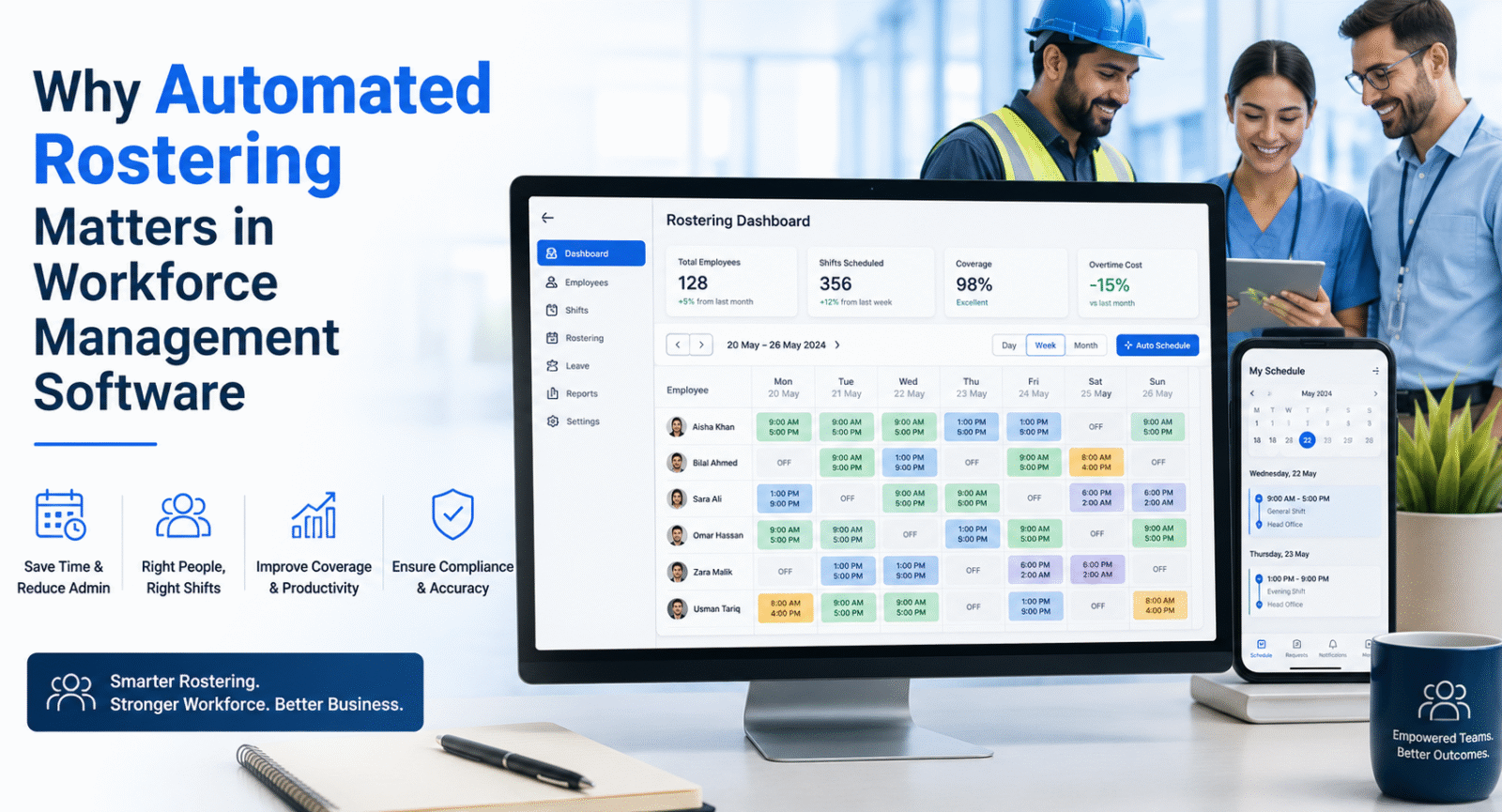
Rostering identifies the staffing requirements to be met, the shifts that need to be reported and whether the required staffing levels are being met. When businesses have several locations and alternate shifts, scheduling in the manual process can easily lead to conflicts, coverage issues, too much overtime, and too much paperwork.
Employee availability, shift requirements and attendance data, along with business rules, can help to generate more controlled schedules with workforce management software. Automated rostering is especially beneficial for security firms as requirements for deployment can vary from site to site and shift to shift.
Eliminates manual scheduling tasks.
Manual rostering involves supervisors checking availability, leave, existing rosters, working hours and requirements of the site to make a schedule each time.
With automated scheduling, the administrative burden is reduced because a set of rules are applied to workforce information.
Scheduling workflow can take into account:
- Employee availability
- Shift timing
- Site requirements
- Leave schedules
- Skills and certifications
- Working-hour limits
- Existing assignments
Analyze existing data and Generate Schedules From Real Data.
Rather than creating the schedule on a spreadsheet, managers can create schedules based on existing information on their employees. This will result in a more uniform scheduling process and less chance of missing important constraints in the workforce.
Prevents Shift Conflicts
Scheduling conflicts arise when someone ends up working two or more shifts at the same time, or when an employee is scheduled to work but is either not available or has been scheduled incorrectly.
An automated rostering engine can evaluate these factors prior to the completion of a roster.
Typical process:
In the Employee Availability column, the employee will select the appropriate schedule type.An employee will enter the type of schedule in the Employee Availability column.
This allows managers to resolve conflicts before they even make their way to the employee or client.
Improves Site Coverage
Security organisations might need different staffing needs at each of their sites. A roster is only effective if the required number of guards are maintained throughout operational hours.
Security guard management software can assist managers in determining who to assign to a site based on their needs and ensure that the required number of security guards is on duty.
Important considerations include:
- Required number of guards.
- Shift duration
- Post assignments
- Relief coverage
- Guard availability
- Required qualifications
Manage Coverage Exceptions
When an employee is unavailable, supervisors can find the shift that is impacted and schedule someone to cover that shift, instead of figuring out the problem after everyone has started their shift.
Puts skills and qualifications into practice.
Some security assignments might involve certain training and certifications, experience or site knowledge. Employee attributes can be leveraged for automated rostering to make appropriate assignments.
For instance, if a job or project calls for specific qualifications, it should not be given to someone who lacks the qualifications.
Employee profiles with relevant workforce data can be used in the system to enhance the accuracy of the assignments.
This transforms rostering to a rule-based deployment process.
Controls Overtime and Labour Costs
An inefficient scheduling can lead to overtime due to staffing gaps that need to be filled at the last moment and/or improperly scheduled employees to fill those positions.
Workforce management software can forecast and track hours worked with scheduled time, and can establish patterns to help prevent overpaying for labour.
Managers can analyse:
- Overtime by employee
- Overtime by site
- Replacement frequency
- Shift utilisation
This will help management determine if overtime is a real need or if it is a result of poor scheduling.
Connect with Attendance
Attendance records are the actual schedule, and a roster is the one that is expected to occur.
Linking both datasets constitutes a more robust workforce control system.
Planned Shift is the start time of the shift.The start time of the shift is known as Planned Shift.
This helps supervisors track late arrivals and absences, early departures and extra hours worked.
Use attendance to drive operational information.
It should not be used solely as payroll data. The comparison of scheduled and actual attendance will enable managers to see if deployment plans are effective.
Simplifies Last-Minute Changes
Employee absences, client needs, site changes, and unforeseen operational requirements may mean that security operations need to be changed.
Changes to the roster can be made automatically by an approved system with a clear record of the changes made to the assignment.
Security guard management software can thus aid in controlled replacement procedures, instead of on a purely phone call, message, or manually edited spreadsheet basis.
The change should also be visible to authorised supervisors and relevant employees to ensure everyone is operating with the most up-to-date schedule.
Supports Payroll Accuracy
Rostering information can be linked to attendance and approval of working hours, and become the basis for payroll.
The next process could be:
Roster → Attendance → Approved Hours → Overtime → Payroll
This minimizes re-keying data and enables payroll staff to detect mismatch between scheduled and actual working time.
This link can help to minimize administrative reconciliation for large workforces.
What is the best way that businesses can implement automated rostering?
Automation is most effective if the data on the workforce is correct.
The sequence in implementing a practical plan is:
Step 1: Maintain complete employee profiles.
Step 2: Accurately record availability and leave.
Step 3: Determine staffing needs for the site.
Step 4: Set scheduling/working hours rules.
Step 5: Validate automated rosters for real-world situations.
Step 6: Link attendance to schedules.
Step 7: Track coverage, overtime and scheduling gaps.
For instance, a workforce management solution like Sowaan ERP shows how workforce data can be integrated into a wider business management solution, rather than being disconnected from other business processes.
Conclusion
Automated rostering is more than about speeding up schedule building. It establishes a logical link between manpower availability, site needs, attendance, wages and salary costs and payroll.
The correct WMS software can help to minimise scheduling problems, enhance coverage, manage overtime, and provide managers with insight into real time workforce utilisation. For security firms, it’s an operational control that is more than just an administrative hassle.