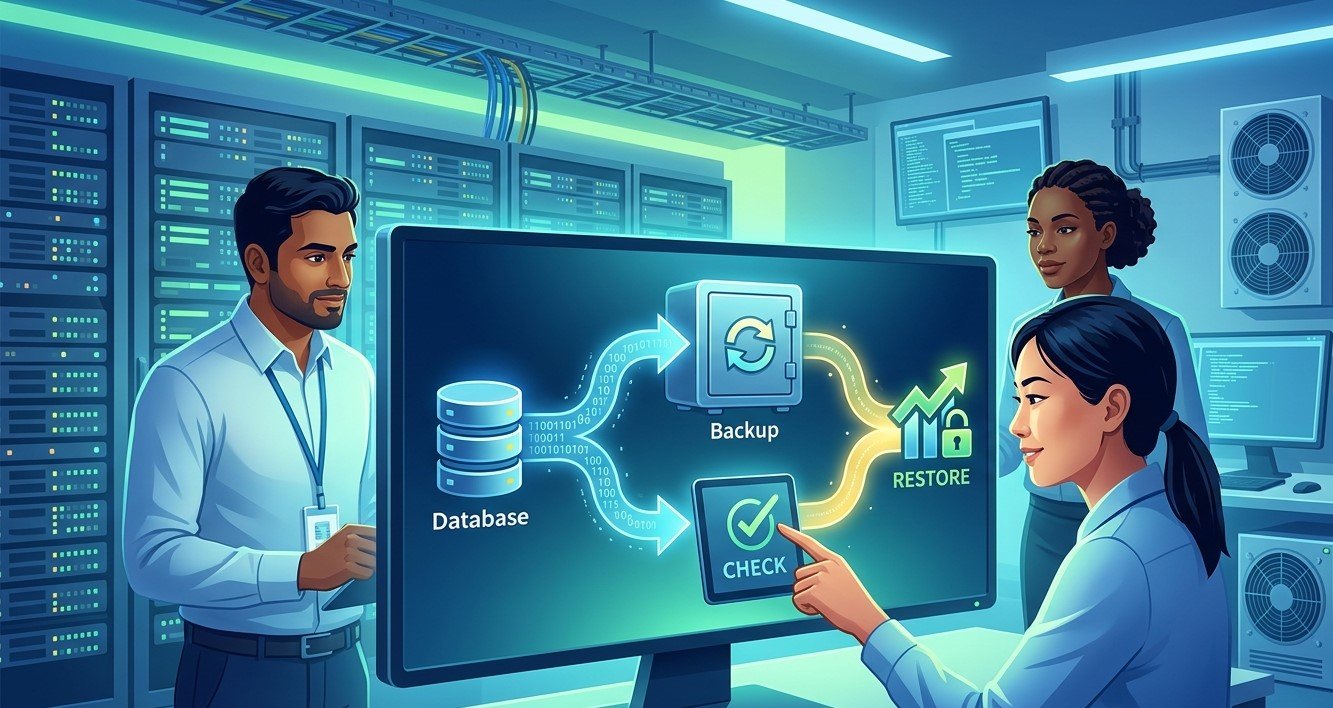
Business data is one of the most valuable resources a company has. Customer records, financial documents, employee information, project files, databases, emails, and other digital information support everyday operations. While creating regular backups is an important part of data protection, simply having backup files does not guarantee that a business can recover its information when something goes wrong.
For organizations seeking Business IT Support Albany, NY, regularly testing data backups can help confirm that important information is actually recoverable. Precision Fix provides managed IT services, computer support, cybersecurity solutions, network support, and other technology services that can help businesses improve data protection and prepare for unexpected technology problems.
What Is a Data Backup Test?
A data backup test is a controlled process used to verify that backed-up information can be successfully restored.
A backup system may appear to be working because scheduled backup jobs show as completed. However, successful backup jobs do not always mean that every file or application can be recovered properly.
A backup test may involve:
- Selecting a recent backup
- Restoring files to a test location
- Verifying file integrity
- Checking application data
- Testing database recovery
- Confirming permissions
- Measuring recovery time
- Documenting the results
Regular testing gives businesses greater confidence that their backup strategy will work when it is actually needed.
Why Having Backups Is Not Enough
Many businesses assume that once an automated backup system has been installed, their data is protected.
Backups can fail for many reasons, including:
- Storage problems
- Network interruptions
- Configuration errors
- Software failures
- Corrupted backup files
- Insufficient storage
- Expired credentials
- Incorrect backup settings
- Incomplete backup jobs
A system may continue reporting successful operations while certain files or systems are not being backed up correctly.
Testing helps uncover these problems before an actual emergency occurs.
Protect Businesses From Data Loss
Data loss can happen for many reasons.
A business might experience:
- Hardware failure
- Accidental deletion
- Malware
- Ransomware
- Software problems
- Natural disasters
- Theft
- Power-related incidents
- Human error
If important data cannot be recovered, business operations may be disrupted for hours, days, or longer.
Regular backup testing helps organizations identify whether their recovery process can actually restore important information.
Confirm That Critical Files Can Be Restored
Not every business file has the same level of importance.
Companies should identify their most critical data and ensure that it can be restored.
This may include:
- Customer databases
- Accounting records
- Contracts
- Employee records
- Project files
- Business documents
- Email data
- Application databases
- Configuration files
Testing these resources first can help businesses prioritize their recovery efforts.
Test the Recovery Process, Not Just the Backup
A backup strategy should include more than checking whether files exist.
Businesses should test the complete recovery process.
For example, a recovery test might ask:
- Can the backup be located?
- Can the required data be accessed?
- Can files be restored successfully?
- Are permissions preserved?
- Can applications use the restored data?
- How long does recovery take?
- Who is responsible for performing the recovery?
- Are additional credentials or systems required?
This broader approach provides a more realistic understanding of business recovery capabilities.
Identify Corrupted or Incomplete Backups
Backup files can become corrupted or incomplete.
If corruption is discovered only after a major incident, it may be too late to create a replacement backup of the lost data.
Regular restoration tests can help identify problems earlier.
Businesses should periodically verify that:
- Files open correctly
- Databases can be restored
- Applications can access restored information
- Backup archives are readable
- Required files are present
- Recovery processes complete successfully
Testing provides an additional layer of confidence in the backup environment.
Protect Against Ransomware
Ransomware can prevent businesses from accessing their files and systems.
A reliable backup strategy can be an important component of ransomware recovery, but businesses should verify that backups themselves are protected and recoverable.
Backup testing should consider whether:
- Backups are isolated appropriately
- Backup credentials are protected
- Older recovery points are available
- Backups can be restored without relying on compromised systems
- Recovery procedures are documented
Businesses should also maintain other cybersecurity controls, including endpoint security, access management, employee awareness, network security, and monitoring.
Understand Recovery Time
Knowing that data can be restored is important, but businesses also need to know how long recovery will take.
A backup might technically work but take far longer to restore than the business can reasonably tolerate.
Testing can provide useful information about:
- Restoration speed
- System recovery time
- Network requirements
- Storage requirements
- IT staff requirements
This information can help businesses establish realistic recovery expectations.
Establish Recovery Time Objectives and Recovery Point Objectives
Businesses can use two important concepts when planning data recovery: Recovery Time Objective (RTO) and Recovery Point Objective (RPO).
RTO refers to how quickly a business needs a system or service restored after an interruption.
RPO refers to how much recent data a business can afford to lose.
For example, a business may determine that an important application should be restored within a few hours and that losing more than a small amount of recent data would be unacceptable.
Backup testing can help businesses determine whether their existing systems actually meet these objectives.
Test Different Types of Recovery
Businesses should not rely on only one type of recovery test.
Different scenarios may require different recovery methods.
Companies can test:
Individual File Recovery
Restore a small number of individual files to confirm that everyday recovery works.
Folder Recovery
Restore an entire folder containing multiple files and verify that its contents are complete.
Application Recovery
Test whether critical applications can be restored and operate correctly.
Database Recovery
Restore important databases and confirm that the information remains usable.
Full System Recovery
When appropriate, test whether an entire server or system can be recovered.
Different recovery tests can uncover different problems.
Test Cloud and Local Backups
Many businesses use a combination of local and cloud-based backups.
Local backups may provide fast recovery for certain situations, while cloud or off-site backups can provide additional protection against physical damage or local incidents.
Businesses should test each important backup method.
Testing can verify:
- Connectivity
- Storage availability
- Backup integrity
- Restoration speed
- Access permissions
- Recovery procedures
A combination of backup methods can provide additional resilience when properly designed and maintained.
Protect Backup Access
Backups themselves should be treated as valuable business assets.
If attackers gain administrative access to a backup environment, they may attempt to delete or encrypt recovery data.
Businesses should protect backup systems with appropriate controls such as:
- Strong authentication
- Multi-factor authentication
- Limited administrative access
- Separate credentials
- Encryption
- Access monitoring
- Appropriate network segmentation
Regular security reviews should be included in the overall backup strategy.
Document Backup Testing Results
Businesses should document each backup test.
Documentation can include:
- Date of the test
- Backup used
- Data restored
- Recovery method
- Restoration time
- Problems discovered
- Corrective actions
- Person responsible
- Final result
Good documentation makes it easier to identify recurring problems and demonstrate that recovery procedures are being reviewed.
Create a Regular Backup Testing Schedule
Backup testing should not be treated as a one-time activity.
Businesses should create a recurring schedule based on the importance of their data and systems.
For example, companies may perform:
- Frequent automated backup verification
- Regular file restoration tests
- Periodic application recovery tests
- Scheduled full recovery exercises
The appropriate frequency depends on the business environment.
Critical systems may require more frequent testing than less important resources.
Train Employees on Data Recovery Procedures
Backup testing should not be limited to IT professionals.
Employees responsible for business operations should understand basic recovery procedures and know who to contact when data is lost.
Training can cover:
- How to report accidental deletion
- How to request file recovery
- Who handles recovery incidents
- What information should be provided
- How long recovery may take
Clear communication can reduce confusion during an actual data-loss event.
Review Backups After Major Technology Changes
Businesses should test their backups whenever significant technology changes occur.
This may include:
- Server replacements
- Software migrations
- Cloud platform changes
- Network upgrades
- New applications
- Storage changes
- Security system changes
Technology changes can affect backup configurations, so recovery procedures should be reviewed afterward.
Use Backup Testing as Part of Business Continuity Planning
Data recovery is one component of a broader business continuity strategy.
Business continuity planning considers how an organization will continue operating after disruptions.
A comprehensive plan may address:
- Data recovery
- IT disaster recovery
- Communication
- Employee access
- Alternative work locations
- Critical applications
- Vendor relationships
- Emergency procedures
Backup testing helps ensure that one important part of the continuity plan is based on a working recovery process.
How Professional IT Support Can Help
Managing backups and testing recovery procedures can become complicated as businesses add more devices, servers, applications, and cloud services.
Professional IT support for small businesses can help organizations evaluate their backup environment, monitor backup jobs, perform recovery tests, improve security, and document recovery procedures.
Managed IT services can also provide proactive monitoring and maintenance to help identify backup problems before they become serious.
Professional support can be especially useful for businesses that do not have dedicated IT staff available to manage backup infrastructure.
FAQs About Testing Business Backups
How often should businesses test their backups?
The appropriate schedule depends on the importance of the data and the business’s recovery requirements. Critical systems should generally be tested regularly rather than relying only on automated backup reports.
Why can a backup fail even when the system says it was successful?
Configuration problems, corrupted files, storage issues, access problems, or incomplete data can cause recovery difficulties even when a backup job appears to have completed.
What should businesses test first?
Businesses should prioritize critical systems and information, such as customer databases, financial records, essential applications, and files required for daily operations.
Are cloud backups automatically safe?
Cloud backups can provide valuable protection, but businesses still need to configure them properly, protect access, monitor backup status, and test whether data can be restored.
What is the difference between a backup and a backup test?
A backup creates a copy of data. A backup test verifies that the copy can actually be accessed and restored successfully.
Final Thoughts
Regularly testing data backups is an essential part of effective data protection for businesses. A backup that has never been tested may provide a false sense of security. Businesses need to know that their critical files, applications, and systems can actually be recovered when they are needed.
By testing file restoration, application recovery, databases, full systems, cloud backups, and recovery procedures, businesses can identify weaknesses before a real emergency occurs. They can also use testing to understand recovery times, improve documentation, and strengthen their overall business continuity planning.
For organizations seeking Business IT Support Albany, NY, professional assistance can help make backup management and recovery testing more consistent. Precision Fix provides managed IT services, computer support, cybersecurity solutions, network support, and other technology services that can help businesses protect important information and prepare for unexpected technology disruptions.
Regular backup testing is not simply a technical task. It is an important part of preparing a business to recover from data loss, hardware failure, cyber incidents, and other unexpected events with greater confidence and organization.