

A dispensary menu is often one of the first places customers look when deciding what to explore. If product details are difficult to read or out of date, shoppers may need extra help comparing options. Well-planned digital cannabis menus give retailers a clear way to present categories, product details, prices, and promotions on in-store screens. For dispensaries in Regina, Saskatchewan, digital displays can make the shopping area easier to navigate while keeping menu information organized.
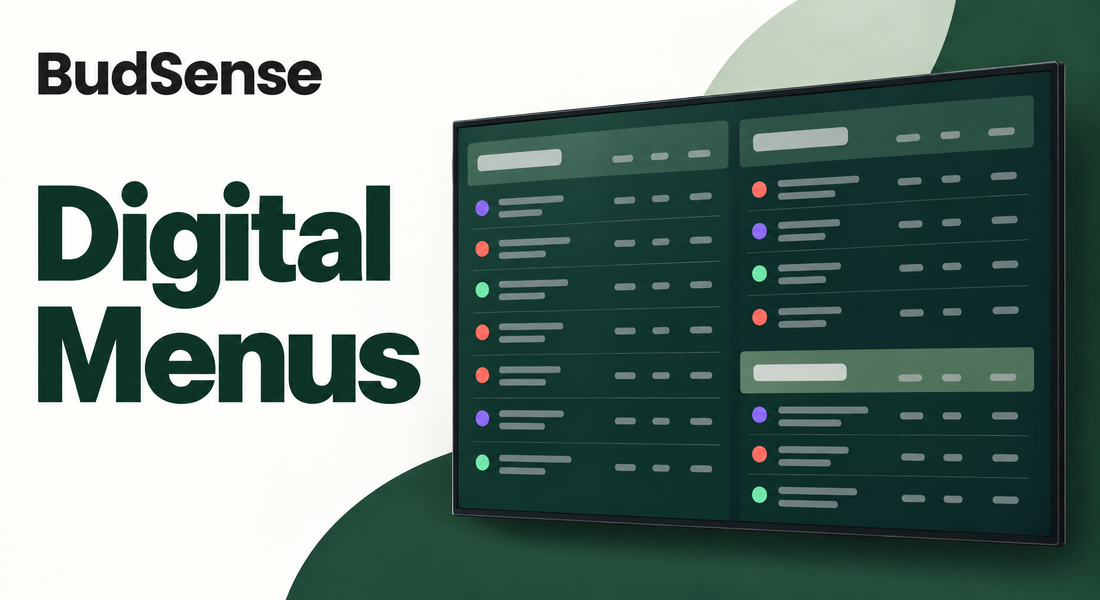
A screen-based menu is more than a list placed on a television. Its layout, product information, and update process all affect its usefulness. BudSense Digital Menus connect with supported point-of-sale systems and allow menu changes through an online dashboard. Retailers can use this approach to coordinate product listings and keep their displays aligned with current inventory.
Make Product Information Easier to Browse
Customers may enter a dispensary knowing what they want, or they may need time to compare categories and products. A well-structured menu helps both. Clear category labels, readable product names, and consistent placement of details make screens easier to scan. Retailers can organize items such as flower, pre-rolls, vapes, concentrates, and beverages into sections that match their inventory.
The quality of a menu depends on how information is presented, not simply how much appears on the screen. Crowded layouts can make important details harder to notice. A useful design gives product names enough space, uses readable text, and keeps visual elements consistent. With digital menus for dispensaries, retailers can plan layouts around their screen sizes and store environment.
Keep Menus Current Through POS Integration
Manually changing several screens whenever inventory or pricing changes can take staff time and create inconsistencies. BudSense connects with supported POS systems to populate menus with in-stock inventory, prices, sales, and other product information. This helps reduce the need to enter routine details manually. Retailers should confirm that their POS system is supported and review how the integration handles the information they want to display.
An online dashboard lets authorized users access and edit menus from anywhere with an internet connection. Staff can adjust a product, update a menu, or apply changes across multiple menus without visiting each television. For operators managing more than one location, multi-location template support can help coordinate updates across the dispensary network.
Use Cannabis Digital Signage for Promotions
Digital screens can display more than everyday product listings. Retailers may use them to highlight daily deals, featured categories, new arrivals, or brand promotions. BudSense allows menus and promotions to be assigned to particular days or times, giving stores a way to schedule messages around planned campaigns.
Good cannabis digital signage should remain relevant and easy to follow. Too many competing messages can make a screen difficult to read, so retailers should decide which promotion deserves attention and keep the wording concise. Review scheduled content regularly to make sure dates, prices, and product availability match the current offer and store inventory.
Plan Dispensary TV Menus Around Your Store
Before installing dispensary TV menus, consider where customers will view them. Screen height, viewing distance, lighting, and the amount of information shown all influence readability. A screen behind the counter may serve a different purpose from one near the entrance. Choose layouts that suit each location and test them from the places where customers are likely to stand.
Hardware is another part of the planning process. BudSense states that its digital menus run on a television with an HDMI input using a Buzz TV device. The company recommends contacting its team before purchasing hardware so retailers can check which equipment is suitable. Stores should also consider internet access and decide who will review menu content and scheduled promotions.
Consider Tools for Multi-Location Menu Management
A single dispensary may have a manageable number of screens, while a multi-store operator may need consistent menus across several locations. BudSense Digital Menus Pro is designed for multi-location operators and includes bulk actions to support menu management at scale. This can help businesses coordinate shared templates while managing location-specific requirements.
When comparing cannabis menu software, consider POS compatibility, remote editing, promotion scheduling, product detail support, and multi-location controls. Ask what hardware is required and which features are included in the version being considered. For Regina retailers exploring a cannabis products display, BudSense offers digital menu options as part of its wider dispensary menu software platform. Explore its cannabis digital menus through a product demo to discuss your POS, screen setup, and menu requirements.
Final Thoughts
Digital menus can help dispensaries present product information in an organized and accessible format. The right setup depends on inventory, screen placement, POS integration, and how often menus or promotions change. Reviewing these details can help Regina retailers decide whether BudSense Digital Menus fit their store operations and customer browsing needs.
Frequently Asked Questions
How do BudSense Digital Menus get product information?
BudSense integrates with supported POS systems to populate menus with in-stock inventory, prices, sales, and other product information.
Can dispensaries update their screens remotely?
Yes. Menus can be accessed and edited through the BudSense dashboard from anywhere with an internet connection.
Can BudSense display daily deals and promotions?
Yes. Retailers can assign menus and promotions to selected days or times to schedule messages such as daily deals.
What hardware is needed for BudSense Digital Menus?
BudSense states that its menus run on a television with an HDMI input using a Buzz TV device. Retailers are encouraged to contact BudSense before purchasing hardware.
Is there an option for multi-location dispensaries?
BudSense Digital Menus Pro is designed for multi-location operators and includes bulk actions to help manage menus at scale.