Every small business owner I know has a spreadsheet they are slightly afraid of. It started as a simple list of income and expenses, then grew tabs, colour codes and formulas that only one person understands. It works, until the day a number looks wrong and nobody can explain why. In my experience, that moment is usually when owners start looking at cloud bookkeeping, and most of them wish they had looked sooner.
The Hidden Cost of “It Works for Now”
Spreadsheets are flexible, and that flexibility is exactly what makes them risky for accounting. There is no built-in check that a formula still points to the right cell, that a bank deposit was recorded once and not twice, or that last month’s figures were not changed by accident.
The scale of the problem is well documented. One recent academic review found that 94% of spreadsheets used in business decision-making contain errors. Separately, IT World Canada reported on research showing that 90 per cent of spreadsheets with more than 150 rows have at least one significant error. These figures come from reviews of earlier studies, so I would read them as a strong warning rather than an exact rate. Still, nearly every bookkeeper I have spoken with can recall a spreadsheet that quietly misreported a business’s position for months.
Cloud Software Changes How the Books Are Built
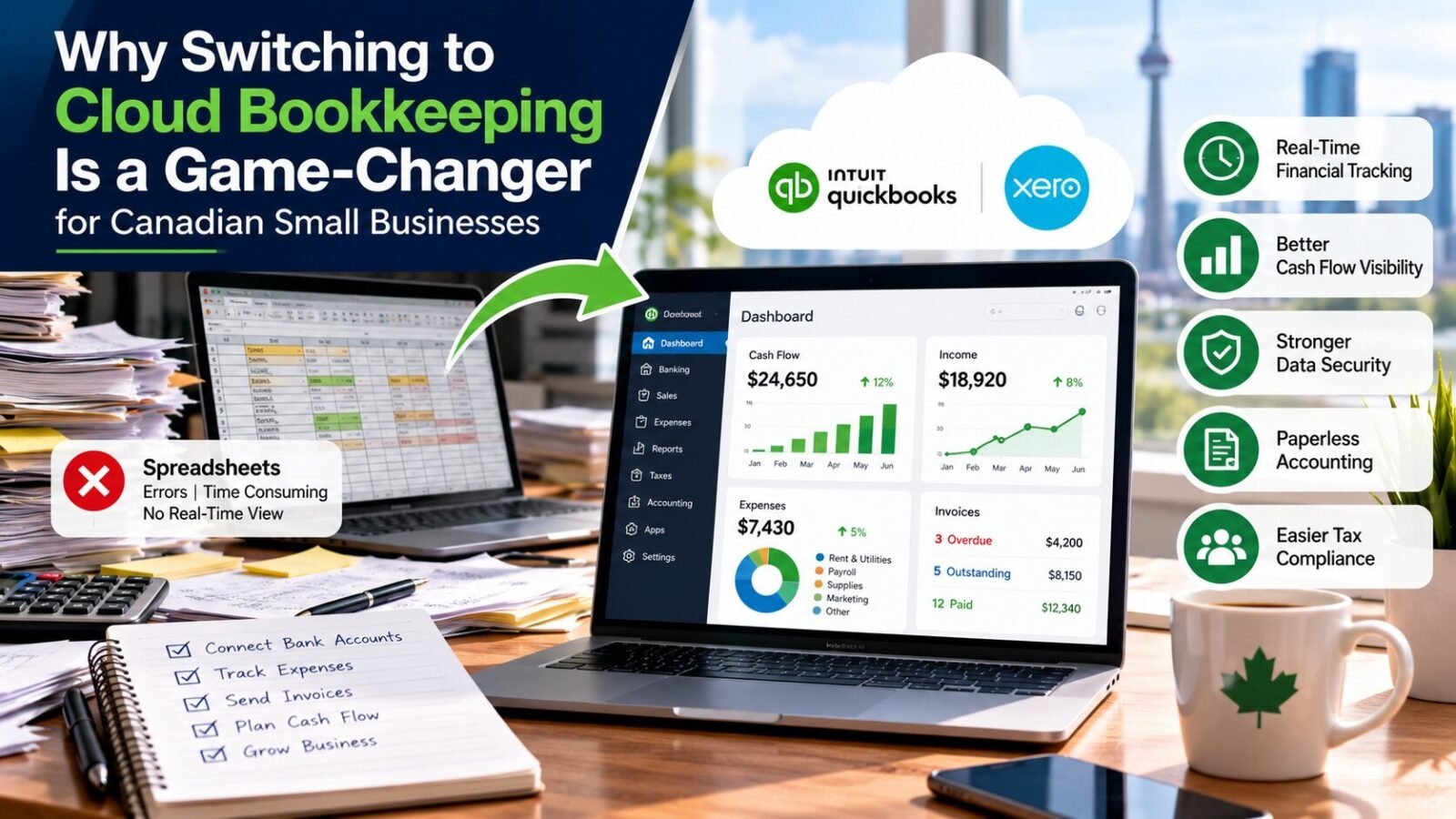
Platforms such as QuickBooks Online and Xero approach the problem differently. Instead of relying on someone to type each number, they connect directly to bank and credit card accounts and import transactions automatically. Each entry carries a date, source and category, and every change leaves a trail showing who made it and when.
That structure is what makes paperless accounting more than a convenience. When receipts are photographed and attached to the transaction, invoices are sent and tracked digitally and statements arrive without manual entry, there is less room for something to be lost, mistyped or forgotten in a drawer.
The shift in one sentence: a spreadsheet records what someone remembered to enter, while cloud software records what actually happened in the bank.
Real-Time Financial Tracking Is the Real Benefit
Accuracy matters, but timing may matter more. With traditional methods, an owner often sees the numbers weeks after the month ends, when the decisions they affect have already passed. Real-time financial tracking closes that gap. A dashboard shows cash on hand, unpaid invoices, upcoming bills and profit to date without waiting for a report.
A client of mine (I will keep the details private), a small contracting business in the Greater Toronto Area, learned this the hard way. Her spreadsheet showed a healthy profit, yet she was constantly short of cash. Once her accounts were connected to cloud software, the receivables report made the cause obvious: several large invoices were many weeks overdue and nobody had followed up. She turned on automatic payment reminders and began reviewing the dashboard every Monday. Within a couple of months, her cash position felt completely different, even though sales had not changed.
The lesson is that profit and cash are not the same thing, and only current data shows you the difference in time to act.
Cash Flow Visibility You Can Plan Around
Good cloud systems go beyond showing today’s balance. They help you look ahead. Aged receivables reveal who owes you and for how long. Bills due soon show what is coming out. Cash flow forecasts built from real data let you decide whether you can hire, buy equipment or take a quieter month without worry.
Canadian businesses have specific deadlines that make this planning more important: GST/HST remittances, payroll source deductions and corporate tax instalments. When the books are current, these amounts are known in advance instead of discovered at the last minute. Many owners find that payroll and workforce management services work more smoothly alongside cloud books, since wages, deductions and remittances flow into the same record.
What About Data Security?
It is natural to feel uneasy about moving financial records online. Compared with a spreadsheet saved on a laptop or emailed between people, however, cloud platforms generally offer stronger protections. They typically include encryption, automatic backups, user-level permissions and a log of every change. A lost laptop or a corrupted file no longer means lost books.
Security still depends on how you use the tools. I recommend turning on multi-factor authentication (a second sign-in step, such as a code sent to your phone), giving each team member only the access they need and removing access promptly when someone leaves. It is also worth asking your provider where data is stored and how it is backed up. Canadian tax rules require businesses to keep records, generally for six years, so reliable archiving is not optional.
Making the Switch Without the Stress
Moving from spreadsheets to the cloud is easier than most owners expect, but it benefits from a plan:
- Decide on a clean start date, typically the beginning of a fiscal year or quarter.
- Clean up existing records first. Moving messy data into new software just moves the mess.
- Connect bank and card feeds, then set up categories that match how you actually run the business.
- Review the first two months closely so that errors are caught early.
For businesses carrying years of untidy records, a proper year-end accounting cleanup and reconciliation before migration saves a great deal of frustration later. It ensures that the opening balances in the new system are right.
Choosing Support That Fits
Software alone does not keep books accurate. People do. Many small businesses combine cloud tools with outside help, whether that means a local bookkeeping service in Toronto for hands-on support or one of the best online bookkeeping services for remote, ongoing work. When you compare cloud bookkeeping services, I would ask three questions: which platforms do they work in, how often will they reconcile your accounts, and how will they explain the numbers to you in plain language?
A spreadsheet can still be a useful tool for planning and analysis. For the books themselves, though, the case for the cloud is difficult to argue against. It gives you current numbers, a clear audit trail and far fewer surprises, which is what most owners want from their finances in the first place.